Pick llama.cpp to run a model on your own computer, whatever it is: Mac, Windows, Linux, with or without a graphics card. Pick vLLM to serve many people at once from a Linux machine with an NVIDIA or AMD card. Both have code for all 28 of our models: llama.cpp’s stable version since v0.9.0 (4 November) and vLLM’s since 0.34.0 (16 November). Hardware decides.
That is the short version, and it comes from reading code, not from a hunch. On 4 November 2026 we took the stable versions of both projects, vLLM 0.33.0 and llama.cpp v0.8.0, checked the 28 models in our Model Finder and the 18 computers on our list against them, and lined up files, servers, memory and what each one sends on its own. On 17 November we went back to vLLM’s code for its new version, 0.34.0, which brings Mistral Large 4 and a new way of using memory. We have not raced them with a stopwatch, so there is no speed winner on this page; at the end you will find how to get your own number.
vLLMRuntime sheet llama.cppRuntime sheet
| vLLM | llama.cpp | |
|---|---|---|
| Stable versions we read | 0.34.0 (16 November); before that, 0.33.0 (2 November) | v0.9.0 (4 November, 13:08 UTC), build b12110; before that, v0.8.0 (b11960) |
| What it is | A Python server built to serve models to many users | An engine in C and C++ with a command line, a server and a chat page |
| Models in our catalogue its code knows (28) | 28 in 0.34.0 (27 in 0.33.0) | 28 in v0.9.0 (27 in v0.8.0) |
| Our 18 computers where it uses the graphics chip | 6, by its documentation | 15 |
| Systems | Linux; Windows only through WSL; Mac on the processor, experimental | Windows, macOS and Linux, with ready-made downloads |
| File format | safetensors (the original model) and formats such as AWQ, GPTQ or FP8; GGUF only through a separate plugin | GGUF; safetensors only after converting |
| Local server | 0.0.0.0:8000 (the whole network), no key |
127.0.0.1:9931 (only your computer), no key |
| Requests at once (server, by default) | Up to 256 on a card under 70 GB | 4 slots |
| Graphics memory | Since 0.34.0, the memory still free after warmup, minus a safety margin (92 % of the card before) | What the model and its context need |
| What it sends on its own | Usage statistics at start and every 10 minutes, unless you switch them off | Nothing (no telemetry, no update check) |
| Licence | Apache 2.0 | MIT |
The same 28 models, two very different jobs
Here is the number we expected to be lopsided, and it is not. We took the architecture each of our 28 models declares in its own config.json and looked it up in the model registry of vLLM 0.33.0 and in the converter of llama.cpp v0.8.0. Result (read in code, 4 November 2026): 27 of 28 for each, and they are the same 27, from Qwen3 1.7B to gpt-oss-120b, Gemma 4, DeepSeek V4 Flash and Flint. That same day llama.cpp published v0.9.0, which adds the 28th. And on 16 November vLLM 0.34.0 added it too: we read its model registry on 17 November, and now both know all 28.
One honest note: this is support in the code, not 28 models we ran one by one. So if both know the same models, what separates them? What they were built for. llama.cpp was born to squeeze a model into ordinary hardware. vLLM was born to serve one model to a crowd on big graphics cards, and everything else follows from that.

Which of our 18 computers each one runs on
This is where the choice usually makes itself. llama.cpp publishes ready-made builds for Windows, macOS and Linux, with CUDA for NVIDIA, Metal for Apple Silicon, and ROCm or Vulkan for AMD. Of the 18 computers in our Model Finder, it uses the graphics chip on 15: the 5 PCs with an NVIDIA card, the 8 Macs and the 2 PCs with a Ryzen AI Max. On the other 3 it runs on the processor.
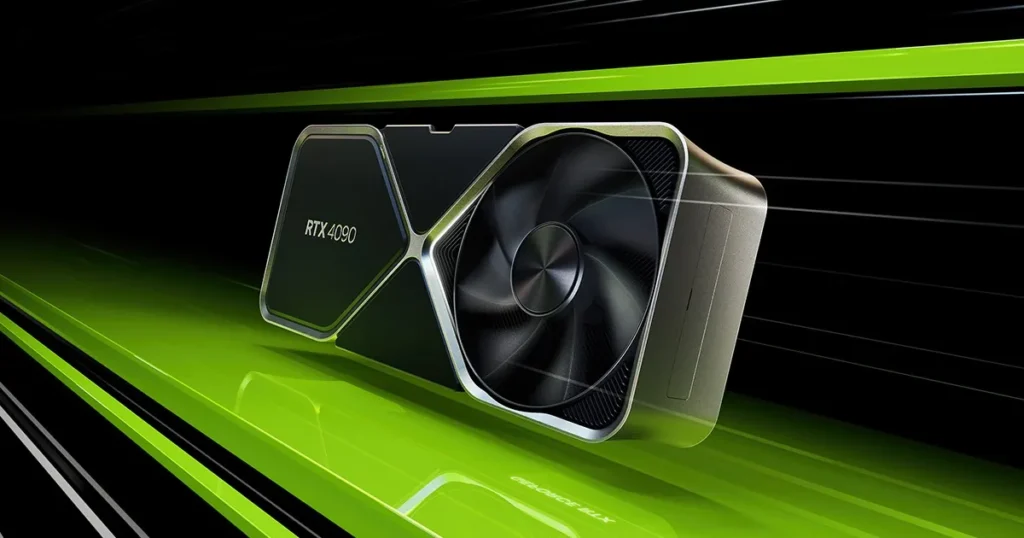
vLLM’s list is shorter. It needs an NVIDIA card with compute capability 7.5 or higher (our RTX 3060, 4060, 4070, 4090 and the 2 RTX 3090 all qualify) or an AMD chip on its ROCm list, which names the Ryzen AI MAX / AI 300 series: that covers our Ryzen AI Max+ 395, but not the PRO 495, from the Max PRO 400 series it does not list yet. That makes 6 of 18 where it officially uses the graphics chip; on the rest, the processor (on a Mac, also the community vLLM-Metal plugin). It runs on Linux; on Windows, through WSL. Since 0.33.0, its ready-made packages are built for CUDA 13.0 only.
And the Mac? vLLM calls its macOS support experimental and processor-only, with FP32 and FP16 numbers. Its install page still says you have to build it from source, although the 0.34.0 release, like 0.33.0, does ship a ready-made CPU package for Apple Silicon. For the graphics chip on a Mac there is vLLM-Metal, a plugin maintained by the community that uses MLX underneath and wants MLX models. If you are on a Mac, our MLX vs llama.cpp comparison is the fight that matters.
Files: GGUF on one side, the original model on the other
llama.cpp eats GGUF, the single-file format this project invented, with the weights already squeezed to between 1 and 8 bits (a few versions keep 16). Our catalogue lists 559 ready GGUF versions of the 28 models, between 2 and 27 per model, so llama-server -hf plus a repository name is often all you need.
vLLM reads the model as its makers publish it, in safetensors, plus a long list of formats meant for graphics cards: AWQ, GPTQ, FP8, MXFP4 and more. GGUF is no longer built in: it lives in a separate plugin, vllm-gguf-plugin, and vLLM’s own documentation calls it highly experimental. In practice, on a home card vLLM needs someone to have published a 4-bit or 8-bit version in one of its formats, because the original weights of a 27B model do not fit in 24 GB.

1 person or 256: how each one serves
This is vLLM’s party trick. It takes requests as they arrive and slips each new one into the batch the moment a slot frees up, instead of waiting for the slowest answer. On a card under 70 GB its server handles up to 256 requests at once by default (1,024 on the largest data-centre cards). Its memory system, PagedAttention, keeps the conversation cache in small pages so it is not wasted.
llama-server is more modest: v0.9.0, like v0.8.0, opens 4 slots by default and they share one cache. For you, your family or a small team that is plenty; for an app with hundreds of users, it is where vLLM pulls ahead.
Opens on YouTube (no cookies) only when you press play. More videos on its sheet →
IBM Technology’s explainer, which we watched through its subtitles, tells the same story in about 10 minutes: llama.cpp makes models fit ordinary hardware with quantisation, GGUF and the processor; vLLM is for scale, with continuous batching explained as pancakes on a griddle (we approve). Both, it reminds you, speak the same OpenAI-style API, so your code barely changes if you switch.
Memory: the whole card at once, or what the model asks for
vLLM is greedy by design, and since 0.34.0 even more so. Up to 0.33.0 it reserved 92 % of the card’s memory when it started, model plus a big cache for all those parallel conversations. In the 0.34.0 source code (read on 17 November 2026, not measured), the default goes up to the whole card on NVIDIA and AMD: after loading the model and warming up, vLLM hands its cache the memory still free, minus a safety margin of at least 1 GiB (3 GiB on AMD) and room for its own working memory. That is great on a server that only runs vLLM. On a desktop, what was already on the card, your screen included, keeps its place; an app you open afterwards finds the card full.
llama.cpp asks for what the model and its context need. By default it takes the context the model was trained with and, if memory is short, trims it to fit, never below 4,096 tokens. And if the model is bigger than the card, it can keep some layers in system memory and run those on the processor: slower, but it starts.
Open doors and what each one sends
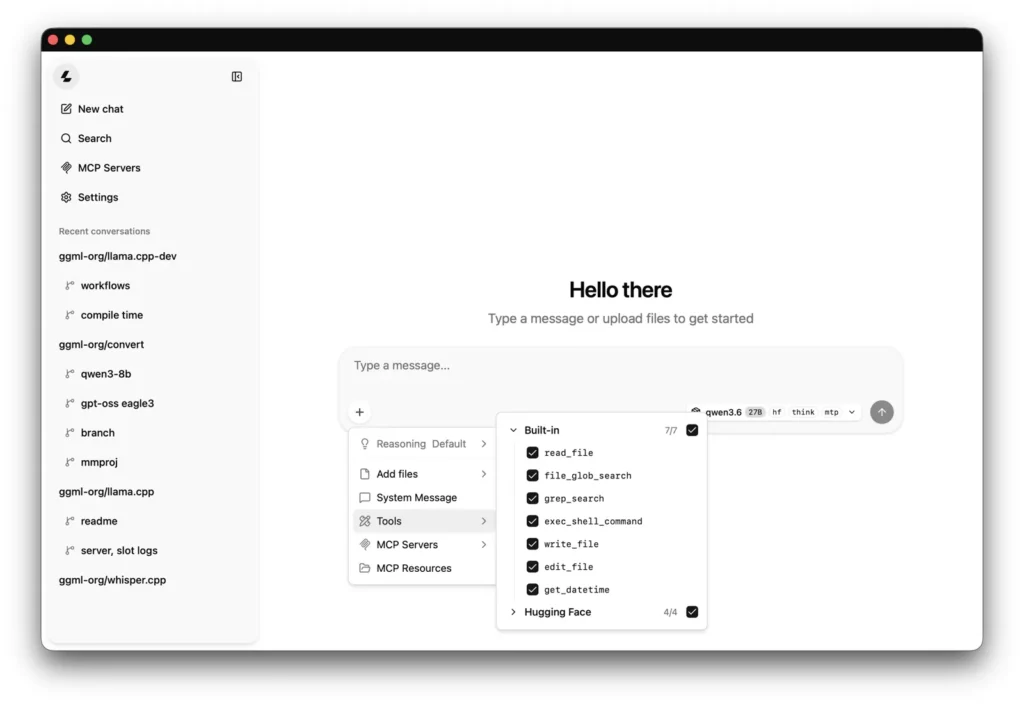
This is the part we care most about on this site. llama.cpp listens only on your own computer (127.0.0.1) on port 9931, has no telemetry and no update check, and only connects when you ask it to download a model or fetch an image by web address. Its server also serves a chat page at the same address, and by default it accepts calls from any web page, with a warning in the console if you have not set a key.
vLLM collects anonymous usage data by default and says so: it sends it to stats.vllm.ai when it starts and every 10 minutes while it runs, and keeps a copy in ~/.config/vllm/usage_stats.json so you can read exactly what went out. One line turns it off: VLLM_NO_USAGE_STATS=1 (there are 3 more ways). Calls from web pages are closed unless you allow them. Every connection, with its source, is on the vLLM and llama.cpp runtime pages.
Which one we would use, and what we do not know
- A model on your own computer, for you: llama.cpp. It runs on all 18 of our computers and uses the graphics chip on 15.
- A Mac: llama.cpp, with Metal. vLLM on a Mac is processor-only and experimental.
- An app or a team hitting one model at the same time, on Linux with an NVIDIA card: vLLM. Up to 256 requests at once by default is its whole reason to exist.
- The original model, or GPU formats such as FP8 or AWQ: vLLM. For ready 4-bit files that fit a home card, GGUF and llama.cpp.
What we do not know: which one is faster on your machine with your model. We did not measure it, and it depends on the card, the model, the format and how many people are asking. Both ship a benchmark: vllm bench serve and llama-bench. Same model, similar size, same prompt, and you have your own number.
Ready to start? Our guides take you through running llama.cpp and running vLLM, and if something breaks, llama.cpp not working and vLLM not working. If you are weighing either against Ollama, vLLM vs Ollama and llama.cpp vs Ollama pick up where this one stops, and the Model Finder tells you which of the 28 fit in your computer’s memory.