On a Mac with Apple Silicon, download MLX if you will run it with mlx-lm or LM Studio’s MLX engine: in 6 of the 7 models we measured, the 4-bit MLX file is 4 to 8 % smaller than GGUF at Q4_K_M. Download GGUF for llama.cpp, for any other computer or for finer compression levels. Ollama picks for you.
That last sentence hides the most curious finding of this page, and we will get to it. First, the method. On 27 October 2026 we measured the real size of the same 7 models in both formats on Hugging Face, read the code of Ollama 0.40.11 where it decides which file your Mac downloads, and asked its library for 9 models the way Ollama itself asks. The versions that day: mlx-lm 0.32.2 with mlx 0.32.4, llama.cpp v0.7.0, Ollama 0.40.11 and LM Studio 0.4.26. What we have not done is race MLX against llama.cpp with a stopwatch on our own Mac, so you will not find a speed winner here, and we say why further down.
 MLX (mlx-lm)Runtime sheet
 llama.cppRuntime sheet
| MLX | GGUF | |
|---|---|---|
| What it is | Apple’s machine-learning framework and its model format: a folder with config.json, the tokenizer and the weights in safetensors files |
The format llama.cpp created: 1 file with the weights, the tokenizer and the settings (large models come split into parts) |
| Runs on | Macs with Apple Silicon and macOS 14 or newer; on Linux, with CUDA or the processor alone through extra packages | Windows, macOS (on Intel Macs, processor only), Linux and Android |
| Programs that run it | mlx-lm, LM Studio’s MLX engine and Ollama on Apple Silicon | llama.cpp, LM Studio and Ollama; not mlx-lm |
| Versions on 27 October 2026 | mlx-lm 0.32.2, mlx 0.32.4 | llama.cpp v0.7.0 (build b11669) |
| Compression levels | 2, 3, 4, 5, 6 or 8 bits, plus mxfp4, nvfp4 and mxfp8, mixed recipes and DWQ builds | 25 files for Qwen3 8B in one repository, from IQ1_S to Q8_0 and BF16 |
| Same model at 4 bits (Qwen3 Coder 30B) | 16.00 GiB, 4.50 bits per weight | 17.28 GiB at Q4_K_M, 4.86 bits per weight |
| Models that understand images | The image part travels inside the same folder | A separate mmproj file, 0.87 GiB for Qwen3.6 27B |
| In Ollama 0.40.11 | Downloaded on Apple Silicon Macs when the tag has an MLX version | Downloaded everywhere else, and on a Mac when the tag has no MLX version |
| Make your own | mlx_lm.convert -q from the original weights |
The convert_hf_to_gguf.py script in llama.cpp’s repository, then its quantizer |
| Local server | mlx_lm.server on 127.0.0.1:8080 |
llama serve on 127.0.0.1:9931 |
| Speed | Not measured by us | Not measured by us |
2 formats and 4 programs: who reads what
The comparison gets muddled because MLX is 2 things at once. It is Apple’s framework, the maths layer that runs on the Mac’s graphics chip using its unified memory, and it is also the name people give to models converted for it. GGUF is only a file format, the one llama.cpp invented, and the 3 programs on this page that read it carry llama.cpp inside.
On a Mac, 4 programs do the reading, and each takes a side:
- mlx-lm runs MLX and nothing else. It loads a folder with
config.jsonandmodel*.safetensorsfiles; a*.ggufis not even in the list of files it downloads. It can export a model to GGUF, but only Mistral, Mixtral and Llama-style models in fp16. - llama.cpp runs GGUF and nothing else, on the Mac’s graphics chip through Metal. A model in safetensors has to be converted first.
- LM Studio runs both. Its search shows GGUF and MLX side by side, GGUF goes to its llama.cpp engine and MLX to its own MLX engine, which is open source under MIT.
- Ollama runs both too, but chooses for you: on a Mac with Apple Silicon it downloads the MLX version of a model when there is one, and the GGUF one otherwise.
 LM StudioRuntime sheet
 OllamaRuntime sheet
So “MLX or GGUF?” is really 2 questions: which file, and which program will run it. If the program is llama.cpp, the answer is GGUF and the page ends here. The fun starts with the other 3.
Same model, 2 sizes: what we measured on 7 models
We took 7 models that exist in both formats and added up the bytes of every weight file on Hugging Face on 27 October 2026: the 4-bit MLX build from the mlx-community organisation against GGUF at Q4_K_M from the repositories our Model Finder already uses, so the figures can be checked against it.
| Model | MLX 4-bit | GGUF Q4_K_M | Difference |
|---|---|---|---|
| Qwen3 8B | 4.29 GiB | 4.68 GiB | −0.39 GiB (−8.4 %) |
| Qwen3.5 9B* | 5.54 GiB | 5.29 GiB | +0.25 GiB (+4.7 %) |
| Gemma 4 12B | 6.28 GiB | 6.63 GiB | −0.35 GiB (−5.3 %) |
| gpt-oss-20b | 10.41 GiB | 10.83 GiB | −0.42 GiB (−3.8 %) |
| Qwen3.6 27B* | 14.95 GiB | 15.66 GiB | −0.71 GiB (−4.5 %) |
| Qwen3 Coder 30B A3B | 16.00 GiB | 17.28 GiB | −1.28 GiB (−7.4 %) |
| Qwen3.6 35B A3B* | 19.00 GiB | 20.61 GiB | −1.61 GiB (−7.8 %) |
Measured: size of the weight files on Hugging Face on 27 October 2026, in GiB (the unit our Model Finder uses). MLX: mlx-community, 4-bit builds (affine, groups of 64; for gpt-oss-20b, its MXFP4-Q4 build). GGUF: unsloth, Q4_K_M (UD-Q4_K_M for Qwen3.6 35B A3B, the file our catalogue counts). *The MLX folder of these 3 includes the part that reads images; in GGUF it is a separate file of 0.84-0.87 GiB, needed only for images. Gemma 4 12B’s MLX folder also carries a small image and audio part; its separate GGUF image file is 0.16 GiB.
MLX comes out lighter in 6 of 7, by 0.35 to 1.61 GiB. The odd one, Qwen3.5 9B, is not an exception to the rule: its MLX folder carries the image reader inside, and once you add GGUF’s separate image file (0.86 GiB) to the GGUF side, MLX is lighter there too, by 9.9 %.
Which one answers better at “4 bits”? Q4_K_M spends more bits, but how that shows in the answers we have not measured, and a file size cannot tell you. What we can say is that the 2 numbers on the label, “4-bit” and “Q4”, do not describe the same thing.
What fits your Mac: the same sum, with MLX usually on the safe side
Our Model Finder and our hardware sheets add up the GGUF Q4_K_M file, the context memory for the length you choose and a margin for the program, and keep 3 GiB of unified memory aside for macOS and your open apps. Those sizes are GGUF. In 6 of the 7 models above the 4-bit MLX build weighed less, so for those the Finder’s sum errs on the safe side as far as the file goes; Qwen3.5 9B, with its image reader inside, weighs 0.25 GiB more as MLX. For a model we have not measured in both formats, check the size of the MLX files before trusting the GGUF sum.
The context costs the same in both. mlx-lm keeps its context cache at full precision unless you ask for --kv-bits, and llama.cpp keeps it at 16 bits by default, so the memory a long conversation takes depends on the model and the length, not on the format.
There is a catch that is MLX’s alone. mlx-lm asks macOS how much memory it recommends for the graphics chip and wires up to that amount, and on a 16 GB Mac that recommendation sits well below the 13 GiB our sheets leave for the model. When the weights pass 90 % of it, mlx-lm warns you before the first token; past it, things slow down or crash. We put the real figures for a 16 GB Mac, the warning and the way to raise the ceiling in our guide to MLX errors. If you would rather measure than calculate, mlx_lm.generate prints Peak memory (in GB of 10^9 bytes) after every answer: what the model and the conversation actually took on your Mac.
Ollama picks for you: MLX on a Mac, GGUF everywhere else
Here is the curious finding. Since 0.40.0, a tag in Ollama’s library can be a list with 2 versions: an MLX one, made of safetensors, and a GGUF one. In the code of 0.40.11, the function runnerPreferences() decides the order: on macOS with Apple Silicon, MLX first, then llama.cpp; on every other system, llama.cpp first and MLX last. When the model loads, a GGUF goes to llama.cpp’s own server and an MLX model to Ollama’s MLX runner.
We asked Ollama’s library for 9 tags with the same request Ollama sends, the one that accepts a list. 6 came back with 2 versions, and these are the sizes each machine downloads:
| Tag | Mac with Apple Silicon (MLX) | Windows, Linux, Intel Mac (GGUF) |
|---|---|---|
qwen3.5:9b |
7.11 GiB | 6.10 GiB |
gemma4:e4b |
8.81 GiB | 6.13 GiB |
gemma4:12b |
7.18 GiB | 7.47 GiB |
qwen3.6:27b |
17.49 GiB | 16.55 GiB |
qwen3.6:35b |
21.98 GiB | 21.07 GiB |
flint:latest |
21.03 GiB | 21.29 GiB |
Measured: sum of the layers of each version in Ollama’s registry on 27 October 2026, image and helper parts included. The other 3 tags we asked for, qwen3:8b, gpt-oss:20b and qwen3-coder:30b, have a single GGUF version, the same file on every machine.
Look again: in 4 of the 6, the Mac downloads the bigger file, up to 2.68 GiB more for gemma4:e4b. The reason is that Ollama’s MLX versions are not the mlx-community 4-bit builds from the previous section. Most are made with NVIDIA’s ModelOpt tool in NVFP4, a 4-bit format of its own, and some keep parts of the model at 8 bits or more; Flint’s MLX version uses plain 4-bit integers. So “MLX is smaller” holds for the files you pick yourself, not for what Ollama picks for you.

The tags with a single GGUF version also run on a Mac: Ollama hands them to llama.cpp, which uses the graphics chip through Metal. You do not choose the engine; the tag does. Ollama’s MLX engine is its own code, not mlx-lm, and our MLX vs Ollama comparison checks which models each of the 2 knows.
Compression levels: 25 GGUF files against a handful of MLX builds
This is where GGUF wins on choice. For Qwen3 8B, a single GGUF repository holds 25 files: the i-quants from IQ1_S to IQ4_NL, the k-quants from Q2_K to Q6_K, Q4_1, Q8_0 and BF16, plus mixed “XL” versions. That fine ladder lets you squeeze a model into exactly the memory you have, one step at a time. How much each step weighs, how fast it writes and how far it strays from the original we measured in our guide to GGUF quantization levels: on Qwen2.5 1.5B, Q4_K_M made the same first choice as the unquantized model in 89 % of tokens.
On the MLX side, the mlx-community organisation has Qwen3 8B at 3, 4, 6 and 8 bits and in bf16, plus a few special 4-bit builds: AWQ and DWQ. DWQ is mlx-lm’s own trick: an already compressed model is trained to imitate the original one, keeping the 4-bit size while trying to win back some of what the compression took away. How much it wins back we have not measured.
Converting a model yourself is easier in MLX. 1 command fetches the original weights and compresses them:
mlx_lm.convert --model Qwen/Qwen3-8B -qOn its own, -q means 4 bits in groups of 64, in the affine mode; --q-bits changes the bits, --q-mode accepts mxfp4, nvfp4 and mxfp8, and --quant-predicate takes 4 mixed recipes from mixed_2_6 to mixed_4_6. For GGUF, you run the convert_hf_to_gguf.py script in llama.cpp’s repository and then its quantizer. Either way you download the original weights first: about 15 GiB for an 8B model in BF16.
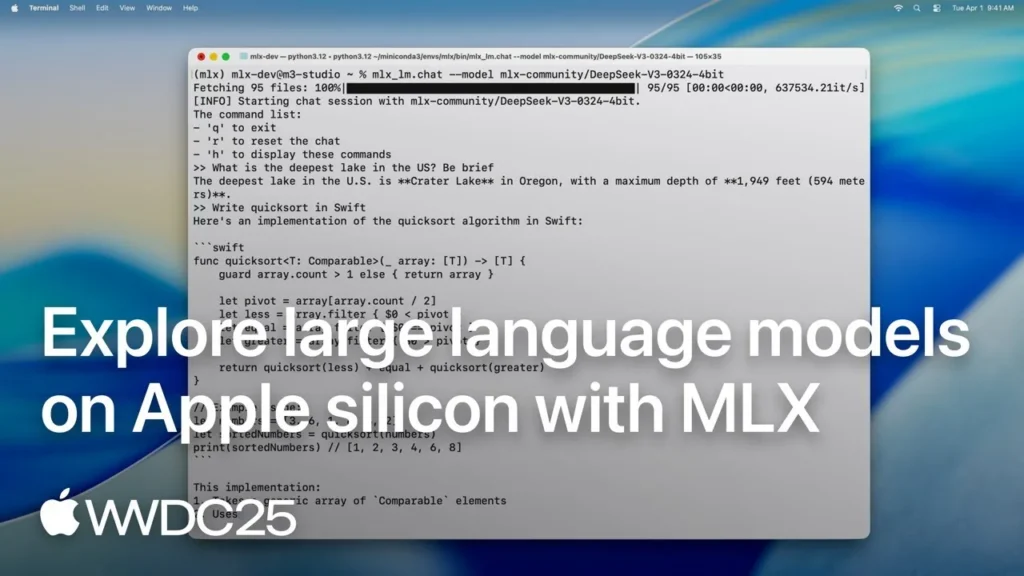
If you would rather watch it first, Apple’s session on large language models with MLX shows mlx-lm generating text and, in its quantization chapter, this same mlx_lm.convert. It was recorded on an earlier mlx-lm: where its flags and this page differ, this page follows 0.32.2.
Opens on YouTube (no cookies) only when you press play. More videos on its sheet →
Speed: why there is no winner on this page
We would love to hand you a number here, and we are not going to invent one. We have not measured MLX against llama.cpp on our own Mac, and a speed figure only means something with the machine, the model, the compression, the context and both versions written next to it. Both run on the same graphics chip and the same memory, and MLX is the framework Apple makes for its own chips; that is a reason to try it, not a measurement.
The good news is that you can settle it on your own Mac with 2 runs. mlx_lm.generate prints tokens per second for reading the prompt and for writing the answer after every run; give llama.cpp the same model in GGUF and the same prompt, and believe your own machine over any chart, ours included.
If you want to see engines side by side before trying, this test runs 5 models through 3 inference engines on a Mac mini M6. Its figures come from its own machine and versions, which are not the ones on this page.
Opens on YouTube (no cookies) only when you press play. More videos on its sheet →
Portability, doors and what each one sends
A GGUF file goes anywhere: the same file runs in llama.cpp on Windows, Linux, an Intel Mac or an Android phone, and in LM Studio and Ollama. An MLX folder is made for Apple Silicon. The mlx framework also has builds for Linux with CUDA or the processor alone, and mlx-lm offers cuda12, cuda13 and cpu extras there, but on Windows pip install mlx-lm installs the tools without the engine. If your models live on a disk shared with a PC, GGUF is the one that works on both.
The format itself listens to nobody and sends nothing: the program does. Each one opens a different door on your machine, all of them only on the machine itself out of the box:
- mlx-lm:
mlx_lm.serveron127.0.0.1:8080, with no key and CORS open to any web page. On its own it makes no calls; the Hugging Face library it downloads with asks huggingface.co whether a model has changed each time you load it by name, until you setHF_HUB_OFFLINE=1. - llama.cpp:
127.0.0.1:9931since v0.7.0, no key unless you add--api-key, CORS open to any web page, and nothing sent on its own. - LM Studio: its server on
127.0.0.1:1234, with CORS off by default. By its maker’s account, the app checks for updates and its engines update themselves; its code is closed, so that is all anyone outside can say. - Ollama:
127.0.0.1:11434, CORS open only to pages on localhost, 127.0.0.1 and 0.0.0.0. With onlyollama serve, 2 kinds of call to ollama.com, whichOLLAMA_NO_CLOUD=1switches off; with the desktop app, 4.

Every destination, with its source and date, is on our pages for MLX, llama.cpp, LM Studio and Ollama.
What we would download, by profile
- A Mac with Apple Silicon and a window to chat in: LM Studio, MLX builds where they exist. You usually get the smaller file, and GGUF is 1 click away when a model has no MLX build.
- A Mac and the terminal: mlx-lm with mlx-community’s 4-bit builds; our MLX setup guide takes you from the install to the server.
- A Mac with Ollama: let it choose, but count the download: in 4 of the 6 tags we measured, its MLX version is the bigger one.
- The same models on a Mac and a PC, or on an Intel Mac: GGUF, with llama.cpp, LM Studio or Ollama.
- Little memory and you need the model to fit to the last gigabyte: GGUF, for its ladder of 25 files.
- Your own compressions or fine-tuning on the Mac: MLX, with
mlx_lm.convertand its DWQ.
If something fails on the way, we have guides for when MLX does not work and when llama.cpp does not work. Weighing the programs rather than the files? Our LM Studio vs Ollama and llama.cpp vs Ollama comparisons cover them, and the Model Finder tells you which models fit your Mac. If the choice is between mlx-lm and llama.cpp themselves, our MLX vs llama.cpp comparison counts which of our 27 models each engine knows.