On a Mac with Apple Silicon, Ollama already runs MLX: when a tag in its library has an MLX version, it downloads that one and runs it with its own engine. Choose Ollama for its app, library and API on port 11434. Choose mlx-lm to run on MLX models Ollama’s engine does not know, for mlx-community builds and for fine-tuning.
That first sentence changes the question, and the rest of this page follows from it. On 30 October 2026 we read the code of Ollama 0.40.13 and mlx-lm 0.32.2, checked the 27 models our Model Finder had that day against both, and asked Ollama’s library which version a Mac gets for 9 of its tags. We have not raced the 2 with a stopwatch, so you will not find a speed winner here; further down you will find how to settle it on your own Mac.
 MLX (mlx-lm)Runtime sheet
 OllamaRuntime sheet
| mlx-lm | Ollama | |
|---|---|---|
| What it is | Apple’s Python package for running and fine-tuning language models with MLX | An app and a server that download models from its library and run them with MLX or llama.cpp |
| Version on 30 October 2026 | mlx-lm 0.32.2, which installs mlx 0.32.4 | Ollama 0.40.13 |
| MLX inside | Apple’s mlx package, stable 0.32.4 | Its own engine written in Go on MLX’s C interface, built on an mlx from 25 October 2026, 31 changes past 0.32.4 |
| Models in our catalogue its MLX code knows (27 on 30 October 2026) | 22 | 17 |
| Where models come from | Hugging Face: mlx-community builds or your own conversion | Its library (ollama pull), or your own safetensors folder or GGUF file imported with ollama create |
| GGUF | Does not read it | Yes, with llama.cpp, for tags without an MLX version |
| Install | pip install mlx-lm, terminal only |
Desktop app or a one-line script |
| Local server | mlx_lm.server on 127.0.0.1:8080, OpenAI-style routes |
127.0.0.1:11434: its own API plus OpenAI-style and Anthropic-style routes |
| Fine-tuning | LoRA with mlx_lm.lora |
No; and 0.40.13 rejects LoRA adapters when creating a model |
| What it sends on its own | Nothing; the Hugging Face library it downloads with checks for model updates | 2 kinds of call to ollama.com with only the server, 4 with the desktop app |
| Licence | MIT | MIT |
| Speed | Not measured by us | Not measured by us |
Ollama already runs MLX on your Mac, but it is not mlx-lm
Since Ollama 0.40.0, a tag in its library can carry 2 versions: one in safetensors for MLX and one in GGUF for llama.cpp. On a Mac with Apple Silicon the code puts MLX first, so when both exist your Mac gets the MLX one. What runs it is not mlx-lm. Ollama has its own MLX engine, written in Go, that talks to MLX through its C interface: no Python, no mlx-lm package, and its own code for every model family.
The MLX underneath is not quite the same either. Ollama 0.40.13 is built on a development snapshot of Apple’s mlx from 25 October 2026, 31 changes ahead of the stable 0.32.4. mlx-lm 0.32.2 asks for mlx 0.32.2 or newer, so pip gives you the stable 0.32.4 today. Same framework, 11 days apart, and 2 different sets of model code on top.
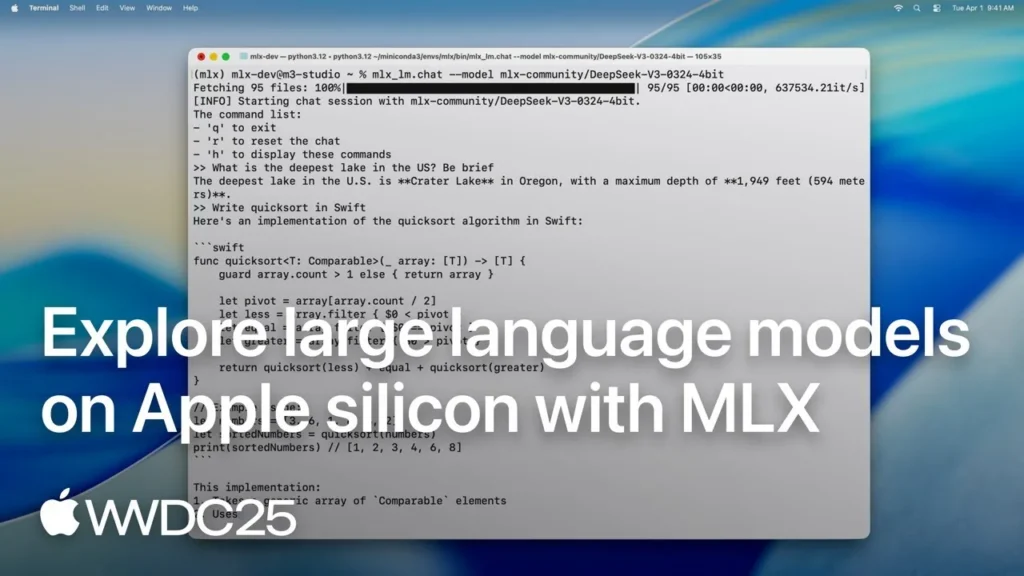
So “MLX vs Ollama” is really mlx-lm’s MLX against Ollama’s MLX. That has 2 consequences you will feel. A model that one of them supports is not automatically supported by the other, and a speed figure measured on one says little about the other.
Which models each one runs: the 27 we checked, against both
We took the 27 models in our Model Finder on 30 October 2026, read the architecture each one declares in its config.json on Hugging Face, and looked it up in the code of both: Ollama’s MLX engine picks its model code by that name, and mlx-lm needs a file for the model type.
| Who knows it | Models |
|---|---|
| Both (14) | Qwen3 1.7B, Qwen3 4B 2507, Qwen3 8B, Qwen3.5 9B, Qwen3.6 27B, Qwen3.8 27B, Qwen3.6 35B A3B, Gemma 4 E2B, E4B, 12B, 26B A4B and 31B, Muse Glimmer 30B, Nemotron 3.5 Lightning 30B |
| Only mlx-lm (8) | Qwen3 Coder 30B, gpt-oss-20b, gpt-oss-120b, GLM-5.2, Mistral Small 24B, Llama 4 Scout, Granite 4.2 8B, Phi-4 |
| Only Ollama’s MLX engine (3) | Flint, Qwen3.8 Flash Next, Nemotron 3.5 Super 120B |
| Neither (2) | DeepSeek V4 Flash, GLM-5.3 Flash |
Read in the code of mlx-lm 0.32.2 and Ollama 0.40.13 on 30 October 2026, against each model’s config.json on Hugging Face. It is code support, not a run: we have not loaded the 27 on a Mac.
“Only mlx-lm” does not mean Ollama cannot run the model at all. On 30 October 2026, phi4:14b, gpt-oss:20b and qwen3-coder:30b were in Ollama’s library with a single GGUF version, so on a Mac Ollama runs them with llama.cpp, on the graphics chip through Metal. If you want those models on MLX, mlx-lm is the way. The other way round, if Flint, Qwen3.8 Flash Next or Nemotron 3.5 Super on MLX is what you are after, mlx-lm 0.32.2 has no code for them yet, and Ollama’s engine does.

The engine can, the tag decides
Knowing an architecture is not enough for Ollama: the tag has to bring an MLX version. Qwen3 8B is the clearest case. Ollama’s MLX engine has the code for it, but on 30 October 2026 the qwen3:8b tag had only a GGUF version, so a Mac runs it with llama.cpp. The same day, qwen3.5:9b, qwen3.6:27b, gemma4:e4b, gemma4:12b and flint:latest came with both versions, and a Mac gets the MLX one.
With mlx-lm there is no such list: you pick the exact repository on Hugging Face, for example a 4-bit build from mlx-community, or you convert the original weights yourself with mlx_lm.convert. Ollama’s MLX versions are its own builds, and they do not always weigh what the mlx-community ones do; our MLX vs GGUF comparison measures the sizes tag by tag.
Ollama has 2 doors of its own here, which we read in the 0.40.13 code and have not tested. ollama create imports a folder of safetensors as an MLX version, and its --quantize option compresses it on the way to nvfp4, mxfp4, int4, mxfp8 or int8. And pull and run accept a hidden --runner option to ask for one version of a 2-version tag. Hidden options can change without warning.
Servers: port 11434 or 8080, and the 512-token surprise
Both open a server on your own machine only, with no key, out of the box. Ollama listens on 127.0.0.1:11434 and speaks 3 dialects: its own API (/api/chat), the OpenAI style (/v1/chat/completions and /v1/responses) and the Anthropic style (/v1/messages). It keeps a model loaded for 5 minutes after the last request (OLLAMA_KEEP_ALIVE changes it) and, from web pages, by default only accepts calls from those served on localhost, 127.0.0.1 or 0.0.0.0 (plus app://, tauri://, file:// and code-editor pages; OLLAMA_ORIGINS adds more).
mlx_lm.server listens on 127.0.0.1:8080 with the OpenAI style only (/v1/chat/completions, /v1/completions and /v1/models), accepts calls from any web page and warns every time it starts that it is not meant for production. It keeps 1 model in memory and swaps it when a request asks for another one by name. When the model allows it, it batches requests: up to 32 answers and 8 prompts at a time by default.
Memory: both ask macOS the same question
macOS tells every program how much memory it recommends for the graphics chip, and both read that number. mlx-lm sets its limit of memory kept locked for the graphics chip to the whole recommended amount. Ollama’s MLX engine sets that limit to what the loaded model occupies, up to the recommended amount, and writes a warning in its log when the model goes past the recommendation: performance may suffer from there on.
Neither trick makes a model smaller. Whether it fits depends on the file, the context you ask for and the memory you have, and our Model Finder does that sum for your Mac. If you hit the ceiling on a 16 GB Mac with mlx-lm, our guide to MLX errors has the real figures and the way to raise it.
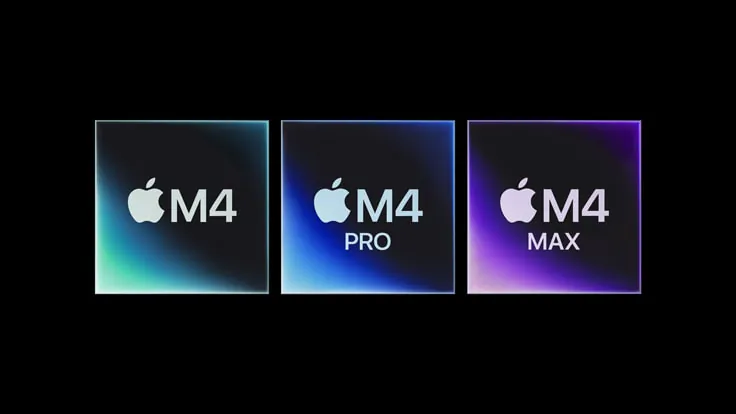
If you want to see Ollama on the cheapest Mac mini M4 first, the 16 GB one, this test, in Spanish, runs it there and watches which models it moves and when it starts to swap. Its figures come from its own machine and versions, not the ones on this page.
Opens on YouTube (no cookies) only when you press play. More videos on its sheet →
What only mlx-lm does: fine-tuning and your own builds
This is where mlx-lm is in a league of its own. mlx_lm.lora fine-tunes a model with LoRA on your Mac and mlx_lm.fuse merges the result into the model. mlx_lm.convert compresses the original weights, and mlx_lm.dwq, mlx_lm.awq and mlx_lm.gptq are other ways to compress that try to lose less quality. mlx_lm.evaluate, mlx_lm.perplexity and mlx_lm.benchmark measure what you made. Ollama trains nothing, and 0.40.13 no longer takes new LoRA adapters either: ollama create answers “LoRA adapters are no longer supported”.
Both can speed up an answer with a small draft model that guesses ahead. mlx-lm takes any compatible model with --draft-model. Ollama 0.40.13 can use one too on its MLX engine, if the tag brings it or you add it with a DRAFT line in ollama create; we did not check which tags in its library bring one. And Ollama keeps the comfort: a desktop app, a library where 1 command downloads and starts a model, and an API that apps written for Ollama, OpenAI or Anthropic can call.
If you want Apple’s own take, its WWDC26 session “Run local agentic AI on the Mac using MLX” is the official one. It was recorded on its own versions: where it and this page differ on a flag, this page follows mlx-lm 0.32.2.
Opens on YouTube (no cookies) only when you press play. More videos on its sheet →
Speed, and what each one sends
We would love to give you a number, and we are not going to invent one. The 2 share Apple’s framework but not the version or the model code, so the only fair test is yours: same model, same compression, same prompt. ollama run qwen3.6:27b --verbose prints the prompt and answer speed in tokens per second after each reply, and mlx_lm.generate does the same on its own. Pick a tag that brings an MLX version, or you will be timing llama.cpp: in the 0.40.13 code, ollama show adds a runner line when a tag has 2 versions.

On the network, mlx-lm makes no calls of its own; the Hugging Face library it downloads with asks huggingface.co whether a model has changed each time you load it by name, until you set HF_HUB_OFFLINE=1. Ollama, with only ollama serve, makes 2 kinds of call to ollama.com, which OLLAMA_NO_CLOUD=1 switches off; with the desktop app, 4, and the update check cannot be switched off. Every destination, with its source and date, is on our pages for MLX and Ollama. Both are open source under MIT, so anyone can read what we read.
Which one we would use, by profile
- First steps on a Mac, and you want to chat today: Ollama. You get MLX without asking whenever the tag brings it. Our Ollama setup guide covers it.
- An app or agent that speaks Ollama’s or Anthropic’s API: Ollama, on port 11434.
- Phi-4, gpt-oss, Qwen3 Coder 30B, Mistral Small or Granite on MLX: mlx-lm. Ollama’s MLX engine does not know them; in Ollama they run with llama.cpp when its library has them (we checked
phi4:14b,gpt-oss:20bandqwen3-coder:30b). - Flint, Qwen3.8 Flash Next or Nemotron 3.5 Super on MLX: Ollama, whose engine has the code; mlx-lm 0.32.2 does not.
- Fine-tuning, your own compressions or a precise mlx-community build: mlx-lm; our MLX setup guide takes you from the install to the server.
- Both: they install side by side and listen on different ports (8080 and 11434), but each keeps its own copy of a model, and 2 loaded models add up in memory.
If something fails on the way, we have guides for when MLX does not work and when Ollama does not work. Still weighing other programs? Our LM Studio vs Ollama and llama.cpp vs Ollama comparisons cover them. Weighing mlx-lm against llama.cpp, with no app on top? Our MLX vs llama.cpp comparison checks which models in our catalogue each one knows.