When Ollama fails, its log usually says why. This guide covers nine failures: port 11434 already taken, a client that cannot reach the server, a model stuck on the CPU, an NVIDIA or AMD card that is not detected, memory running out when you raise the context, a slow first answer, and pulls or folders that refuse to cooperate.
Running a model on your own machine is great fun right up to the moment it prints an error instead of an answer. The good news: Ollama’s errors are short and fairly honest, and each one points to a specific cause. Below, every problem comes with the exact text you will see, why it happens and the fix, on Mac, Windows and Linux, with the commands of the current stable version, 0.40.10 (published 23 October 2026). Every Ollama message quoted here has been checked again in the code and docs of every stable release since 0.40.0, most recently 0.40.10 on 24 October 2026, and none has changed; what 0.40.0 adds is a RUNNER column in ollama ps and MLX by default on Apple Silicon Macs, and the sections where that matters say so. Installing, checking that the server runs and setting environment variables are covered in our Ollama setup guide; this page picks up where that one ends.
 OllamaRuntime sheet
First, read the log
The error in your terminal is the headline; the log is the full story. This is where it lives:
# macOS
cat ~/.ollama/logs/server.log

# Linux (systemd service)
journalctl -u ollama --no-pager --follow --pager-end

# Docker
docker logs <container-name>

# Windows: opens the folder with server.log (the current one)
# and server-#.log (the previous ones)
explorer %LOCALAPPDATA%\Ollama
If you started ollama serve by hand, the log is that same terminal. For more detail, OLLAMA_DEBUG=1 raises it to debug level and OLLAMA_DEBUG=2 to trace. How to give that variable to the app or the service depends on your system, and it is explained step by step in the setup guide. On Windows, the quick way is to quit the app from the tray and then, in PowerShell:
$env:OLLAMA_DEBUG="1"; & "ollama app.exe"A short walkthrough of checking the logs when Ollama stops answering, if you prefer to see it done first. Where the video and this page differ, this page follows version 0.40.10.
Opens on YouTube (no cookies) only when you press play.
“bind: address already in use” on port 11434
You type ollama serve and get this back:
Error: listen tcp 127.0.0.1:11434: bind: address already in useThat is the Linux wording; other systems may phrase the end differently. The meaning is the same: an Ollama server is already running. On macOS and Windows the desktop app starts ollama serve for you, and on Linux the installer leaves an ollama systemd service switched on. Two servers, one port: a game of musical chairs with a single chair.
Most of the time you do not need ollama serve at all. Check that the one already running answers:
curl http://127.0.0.1:11434
Ollama is running
If you really want your own server in the foreground, for example to watch its output live, stop the other one first: sudo systemctl stop ollama on Linux, or quit the app from the menu bar (Mac) or the tray (Windows). Or give yours another port, and point your clients at that same address:
OLLAMA_HOST=127.0.0.1:11435 ollama serveOn Linux, this tells you which process holds the port:
sudo ss -ltnp | grep 11434“could not connect to ollama server”
The opposite case: the command is installed, but no server is listening.
Error: could not connect to ollama server, run 'ollama serve' to start itollama -v gives a gentler version of the same news: Warning: could not connect to a running Ollama instance. On Linux the command line never starts a server on its own, so this message simply means the service is down. On macOS and Windows it first tries to open the app, and you only see the error if that fails.
# Linux
sudo systemctl start ollama
sudo systemctl status ollama
On a Mac or a Windows PC, open the Ollama app. If the server lives on another machine or on another port, the client needs the same OLLAMA_HOST as the server; without it, it knocks on 127.0.0.1:11434 and finds nobody home.

Is it running on the GPU? Read the PROCESSOR column
A model that answers at a crawl is often a model that is not on your graphics card. Your laptop fans will tell you before any command does, but ollama ps says it with numbers. Its columns are NAME, ID, SIZE, PROCESSOR, CONTEXT, RUNNER (new in 0.40.0: llamacpp or mlx) and UNTIL, and PROCESSOR is the one that matters:
100% GPU: the whole model is on the card. All good.100% CPU: it is in system memory, either because the card was not detected (next two sections) or because there is no card to use.- A split such as
48%/52% CPU/GPU: the model plus its context did not fit in the card’s memory, and part of it runs on the processor. - On an Apple Silicon Mac with
mlxunderRUNNER:100% GPU, because MLX does not split a model. If the model itself does not fit in the free memory, it does not load, and the error containsmodel requires … but only … are available.
For a split, there are three ways out: lower the context (two sections down), use a more compressed version or a smaller model, or free memory by unloading the models you are not using with ollama stop <model>. The model finder tells you in advance which models fit your machine and at what context.
Opens on YouTube (no cookies) only when you press play.
NVIDIA GPU not detected
Start with the requirements, because they rule out a lot. For version 0.40.10, Ollama asks for an NVIDIA card with compute capability 5.0 or higher and driver 550 or newer; cards with compute capability 5.0 to 6.2 need driver 570 or newer. NVIDIA lists the compute capability of every card on its CUDA GPUs page.
If the card qualifies and Ollama still falls back to the CPU, the log usually carries an error code: 3 (not initialized), 46 (device unavailable), 100 (no device) or 999 (unknown). Work through these in order:
# 1. The driver must see the card
nvidia-smi

# 2. Make sure the unified memory (UVM) module is loaded
sudo nvidia-modprobe -u

# 3. Reload the unified memory module (the documented cure after suspend/resume on Linux)
sudo rmmod nvidia_uvm && sudo modprobe nvidia_uvm
If none of that works, reboot and update the driver. For more detail, start the server with CUDA_ERROR_LEVEL=50 and look at sudo dmesg | grep -i nvrm. And if someone left CUDA_VISIBLE_DEVICES=-1 set somewhere, that is the official way to force the CPU on purpose: remove it.
In Docker, docker run --gpus all ubuntu nvidia-smi has to work before Ollama can see anything. If the container starts on the GPU and drops to the CPU after a while, add "exec-opts": ["native.cgroupdriver=cgroupfs"] to /etc/docker/daemon.json and restart Docker.
AMD GPU not detected on Linux
With an AMD card, two lines in the log give it away:
msg="failure during GPU discovery" ... error="failed to finish discovery before timeout"
msg="bootstrap discovery took" duration=30s
The usual cause is the driver version. Ollama 0.40.10 ships with ROCm 7 libraries, and with a kernel driver from ROCm 6.x or older the GPU search hangs and ends up on the CPU. The fix is to update to the ROCm 7 driver with amdgpu-install, reboot and restart Ollama.
The other cause is permissions on /dev/kfd: the user running Ollama has to be in the render group (on some systems, video). The official installer already adds the ollama user to both groups if they exist; after a manual install, do it yourself:
sudo usermod -a -G render ollamaIf ROCm does not support your card, you can make it pass for a close relative. The documented example is an RX 5400 (gfx1034) running as gfx1030:
HSA_OVERRIDE_GFX_VERSION="10.3.0"With several cards, a numbered variable such as HSA_OVERRIDE_GFX_VERSION_0 sets it card by card. The alternative is Vulkan, which is on by default when its backend is present (OLLAMA_VULKAN=0 turns it off); for Ollama to read the real free memory through Vulkan, run sudo setcap cap_perfmon+ep /usr/local/bin/ollama. For the full picture, AMD_LOG_LEVEL=3, OLLAMA_DEBUG=1 and sudo dmesg | grep -i amdgpu.
Out of memory when you raise the context
The context (how much text the model keeps in view) has a memory bill, the KV cache, and with llama.cpp (llamacpp under RUNNER in ollama ps) it is paid upfront when the model loads. Ask for too much and Ollama stops with a message such as llama-server reported out-of-memory during startup: …, or one containing out of memory, cudaMalloc failed or hipMalloc failed. Sometimes there is no error at all, and the model quietly splits between CPU and GPU.
Version 0.40.10 picks the default context from the graphics memory it detects: 4,096 tokens under 23 GiB, 32,768 from 23 GiB and 262,144 from 47 GiB. The log prints the choice as default_num_ctx. To change it:
# For the whole server
OLLAMA_CONTEXT_LENGTH=8192 ollama serve

# Inside an ollama run session
/set parameter num_ctx 8192

# Per request, through the API
"options": {"num_ctx": 8192}
The desktop app has a slider for it in Settings. Check the result in the CONTEXT column of ollama ps.
On an Apple Silicon Mac with a model running on MLX (mlx under RUNNER), these settings work differently: MLX does not reserve the context when the model loads, its KV cache grows as the conversation grows, and the number under CONTEXT neither reserves memory nor trims the conversation; the ceiling is the model’s own maximum context. Memory there fills up as the conversation gets longer, not all at once at load time.
How much does it cost? We ran the numbers with our own calculator for a 16 GB Mac, which leaves 13.0 GiB for the model, at Q4_K_M compression and with the KV cache in f16, Ollama’s default:
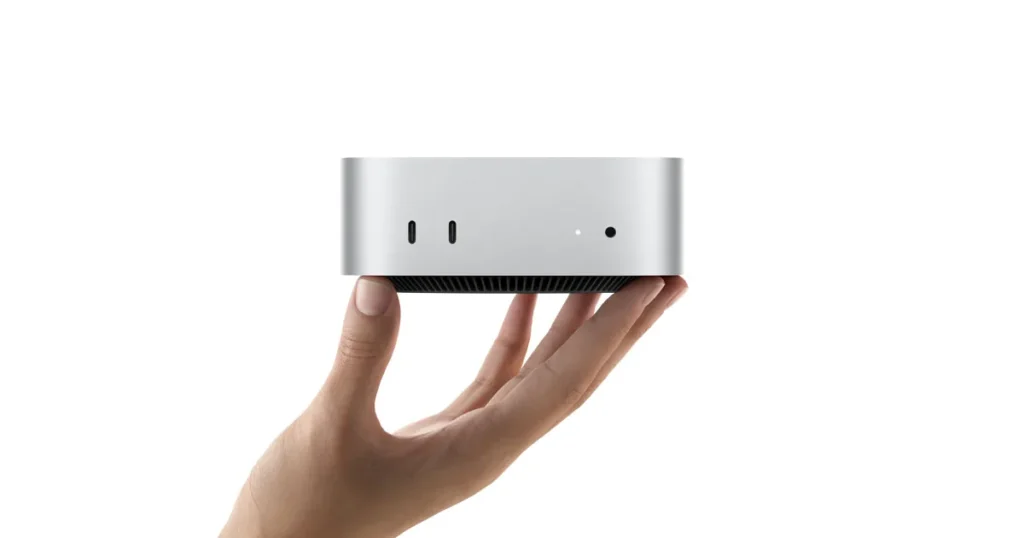
 Mac with M4 and 16 GB unified memoryHardware sheet
| Model | 4k | 8k | 32k | 64k | From 8k to 32k |
|---|---|---|---|---|---|
| Qwen3 8B | 5.92 GiB | 6.56 GiB | 10.38 GiB | 15.48 GiB ✗ | +3.82 GiB |
| Gemma 4 12B | 7.68 GiB | 7.82 GiB | 8.65 GiB | 9.75 GiB | +0.82 GiB |
| gpt-oss-20b | 11.60 GiB | 11.77 GiB | 12.78 GiB | 14.13 GiB ✗ | +1.01 GiB |
Total memory needed (model file + KV cache + runtime overhead). Calculated by Local AI Scope on 5 October 2026 (the Gemma 4 12B row, on 15 October 2026): file sizes measured, KV cache calculated from each model’s architecture, overhead estimated. ✗ = does not fit in the 13.0 GiB available.
On an Apple Silicon Mac, since 0.40.0, ollama pull gemma4:12b brings the MLX version instead (NVFP4 compression, 7.18 GiB to download against 7.47 GiB for the GGUF one), which pays for its context as the conversation goes, as explained above; the Gemma 4 12B row is the GGUF version, the one Windows, Linux and Intel Macs get. On 7 October 2026, Qwen3 8B and gpt-oss-20b only come in GGUF and run on llama.cpp on a Mac too.
That last column matters: for agents and coding tasks, Ollama recommends a context of at least 64,000 tokens. On a graphics card with 8 GB the same story starts sooner: Qwen3 8B fits at 4k, only just at 8k, and not at 32k. The model finder does this sum for your own machine.
PC with an RTX 4060 8 GBHardware sheetSlow first answer: the model left memory
The first question after a coffee break takes ages, and the next one flies. That is not a fault: Ollama keeps a model in memory for 5 minutes after its last use and then unloads it, so the next question pays for loading it again. The UNTIL column of ollama ps tells you how long it has left.
OLLAMA_KEEP_ALIVE on the server, or keep_alive in each request, changes it: a duration such as 10m or 24h, a number of seconds, a negative number to keep it loaded for good, or 0 to unload it as soon as it answers. The value in the request beats the variable. To preload a model and keep it there:
curl http://localhost:11434/api/generate -d '{"model": "llama3.2", "keep_alive": -1}'Replace llama3.2 with your model. To free the memory, ollama stop <model>. If loading is what never ends, the message begins with timed out waiting for llama-server to start: by default it gives up after 5 minutes without progress and OLLAMA_LOAD_TIMEOUT raises that limit. With a model on MLX the message begins with timeout waiting for mlx runner instead, and the same variable sets the limit, though there it counts the whole load, not just the time without progress.
Pulls failing behind a proxy, and folder permissions on Linux
Behind a corporate proxy, ollama pull needs the proxy in the server’s environment, not in your terminal:
HTTPS_PROXY=https://proxy.example.comSet it the same way as any other server variable, and install the proxy’s certificate as a system certificate. In Docker, pass it with -e HTTPS_PROXY=https://proxy.example.com, or build an image that adds the certificate and runs update-ca-certificates.
The pull gets past pulling manifest and then stops? Check ollama -v. Up to 0.40.5 (from 0.35.0 on for GGUF models), the model files themselves skipped that proxy: Ollama fetched them from the download server directly, after resolving its name on the machine itself, so on a network where only the proxy can reach the internet the pull failed, with redirect target not allowed: resolving …: no such host when the machine could not resolve that name. Since 0.40.6 the files go through the proxy as well: updating fixes it.
Moved your models and now nothing loads? By default they live in ~/.ollama/models on macOS, /usr/share/ollama/.ollama/models on Linux and C:\Users\%username%\.ollama\models on Windows, and OLLAMA_MODELS moves them. On Linux, the service runs as its own ollama user, which needs to read and write the new folder:
sudo chown -R ollama:ollama /path/to/your/modelsIf that folder has grown since you updated, this is why: in 0.40.0, 0.40.1 and 0.40.2, a model downloaded with an earlier version could be converted for llama.cpp in the background the first time you ran it, if the disk had room for the copy, and Ollama kept the original in the same folder as a backup in case you went back to an older version, so a converted model’s weights are on disk twice. Version 0.40.3 paused that conversion, and 0.40.10 still keeps it paused: it no longer starts when a model loads, and whatever was already converted stays on disk, copy and backup alike. Since 0.40.2 ollama list shows each model only once, and the 0.40.2 release notes give a command that deletes the backups (after that, going back to a version before 0.40 means downloading those models again).
Messages, commands and defaults from Ollama’s troubleshooting, FAQ, GPU, Linux and context length pages and from its source code, version 0.40.10, read on 24 October 2026 (first read in version 0.35.1 on 3 October 2026): the messages are unchanged, and the RUNNER column and the MLX notes come from 0.40.0.
For what Ollama sends out while all this works, and how it compares with the other runtimes, see its sheet: Ollama: what it sends home and whether you can audit it.