Pick LM Studio if you want a window: search a model, load it and chat, no terminal, and a server that comes closed. Pick llama.cpp if you want open code, the newest engine the day it ships and nothing sent anywhere. Under the hood it is the same engine: LM Studio runs GGUF models on its own build of llama.cpp.
That last sentence is the twist, and we checked how far it goes. LM Studio 0.4.26 is the version its download service handed out on 27 October 2026 (build 0.4.26-4), and neither 0.4.27 (29 October) nor 0.4.28 (31 October, the one it serves on 5 November 2026) names a new llama.cpp runtime in its changelog; llama.cpp v0.9.0 is its stable release of 4 November 2026. We read llama.cpp’s code wherever it decides memory, concurrency, the network and your privacy. LM Studio’s code is closed, so for that one we report what its maker writes, and we say so each time. We have not raced them with a stopwatch, so there is no speed winner on this page: with the same GGUF file on llama.cpp, speed comes down to the engine build and the settings, and those are exactly where the two differ.
 LM StudioRuntime sheet
 llama.cppRuntime sheet
| LM Studio | llama.cpp | |
|---|---|---|
| What it is | A desktop app with a model search, a chat and a server, built on top of engines | The engine itself, with a server, a terminal chat and a chat page |
| Version on 5 November 2026 | 0.4.28 (download 0.4.28-2) | v0.9.0 (build b12110, 4 November), plus daily builds (b12125 on 5 November) |
| llama.cpp inside | Runtime 2.50.0, built on b11337 (2 October 2026), as 0.4.26 shipped it; the changelogs of 0.4.27 and 0.4.28 name no newer one | It is llama.cpp: the stable channel or any daily build |
| Code and licence | Closed; free at home and at work, not to be resold as a service. Its lms command line, SDKs and MLX engine are MIT |
Open source, MIT |
| Runs on | Windows x64 (with AVX2) and ARM64, macOS 14+ on Apple Silicon, Linux x64 and ARM64. No Intel Mac | Windows, macOS, Linux and Android; CPU, CUDA, ROCm, Vulkan, Metal, SYCL and OpenVINO builds. Intel Mac on the processor |
| Model files | GGUF and MLX; you pick in its search | GGUF; safetensors only after converting them |
| Requests at once, by default | 4 (Max Concurrent Predictions; llama.cpp and MLX engines) | 4, sharing one pool of context memory |
| Context by default | Not published; you set it when loading | The model’s maximum, trimmed to what fits (never below 4,096 tokens) |
| Idle model | Models loaded on demand by the API unload after 60 minutes; those loaded with lms load stay |
Stays loaded until you stop the server |
| Window | Full desktop app; llmster without a window |
A chat page in your browser, on by default |
| Listens on | 127.0.0.1:1234 |
127.0.0.1:9931 (8080 up to v0.6.0) |
| Key and CORS | Optional key with permissions (Require Authentication); CORS off | Optional key (--api-key); CORS open to any web page |
| Sends on its own | 2 things, by its maker’s account: an update check and engine updates (only the latter can be switched off). Not checkable | Nothing |
The same engine: which llama.cpp lives inside LM Studio 0.4.26
LM Studio does not write its own engine for GGUF files. It packs llama.cpp into what it calls a runtime, with its own version numbers, and its changelog says which llama.cpp each one is built on. Version 0.4.26, out since 8 October 2026, brought runtime 2.50.0, built on llama.cpp b11337, a daily build from 2 October 2026. On Macs with Apple Silicon there is a second engine, MLX, which LM Studio develops in the open under the MIT licence; and since 0.4.25 a third one, Splash, for M3 or newer on macOS 26.4 or later, which is its maker’s word, since the app is closed.

Now the curious bit. On 5 November 2026 the stable llama.cpp, v0.9.0, is build b12110, from 4 November: 773 builds later than the one inside LM Studio 0.4.26 (with v0.8.0, the stable release until 4 November, the gap was 623). And llama.cpp’s build number climbs by about 21 a day, about 13 of them published as daily builds (28 October to 5 November 2026); on 5 November the newest is b12125. So the day a new model family lands in llama.cpp, running llama.cpp on its own is the fastest way to try it. LM Studio follows, but on its own schedule.
One fair point on LM Studio’s side: its engines update by themselves, on by default, and you can switch that off in the app settings. So the llama.cpp inside your LM Studio may be newer than 2.50.0; the app shows which runtime you have. This video walks through updating LM Studio and its llama.cpp engines on Windows; it was recorded with another version, so where it differs, go with this page.
Opens on YouTube (no cookies) only when you press play.
A window or a terminal: installing them and the first answer
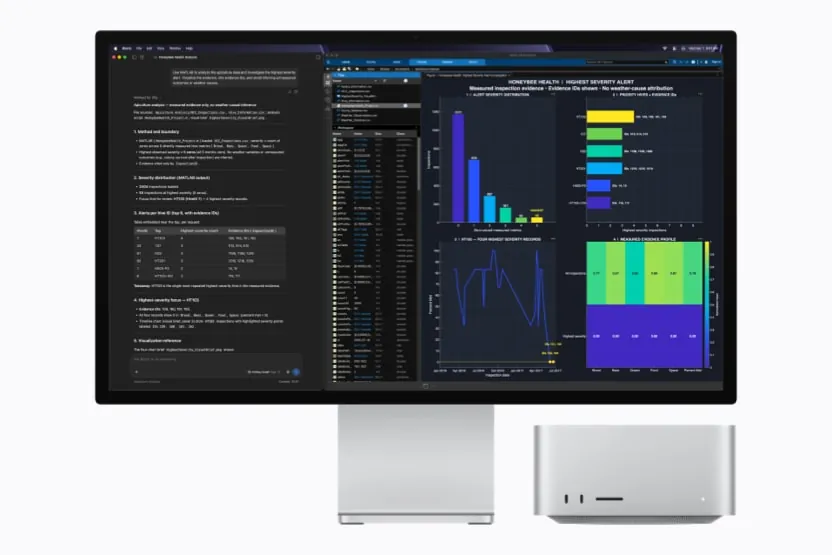
LM Studio is a normal installer: a .dmg on the Mac, an .exe on Windows, an AppImage or a .deb on Linux. Then 3 steps inside the app, and not one in a terminal: search and download a model in the Discover tab, load it, and chat. If you want it without a window, on a server or a mini PC, it has llmster, a daemon that runs with no interface, driven by its lms command line.
llama.cpp asks for one choice first: which build. The calm route is brew install llama.cpp, which on Mac and Linux gives you the stable v0.9.0 (Homebrew has served it since 5 November 2026). The GitHub releases page publishes builds per system and graphics card, and you take the one that matches yours. Then 1 command:
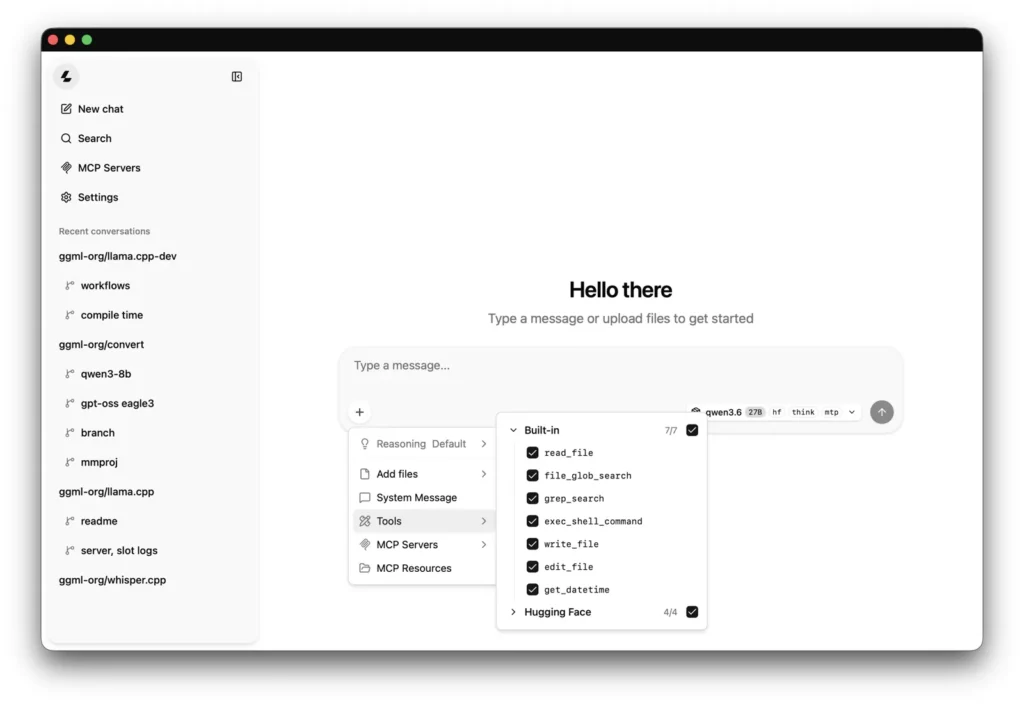
llama serve -hf ggml-org/Qwen3.5-0.8B-GGUF -c 8192It downloads the model from Hugging Face and opens the server and a chat page at http://127.0.0.1:9931. That chat page is llama.cpp’s answer to LM Studio’s window: your conversations and, since v0.7.0, a models manager, all in the browser. Your chats are kept in the browser’s storage, so clearing the site’s data deletes them; LM Studio keeps them as JSON files in ~/.lmstudio/conversations/.
Our LM Studio setup guide and our llama.cpp setup guide go step by step. On hardware, llama.cpp has the longer list: it even runs on an Intel Mac, on the processor only, and on Android phones. LM Studio has no Intel Mac version at all, and on Windows x64 it needs a processor with AVX2.
Which file you run, and who picks it
Both read GGUF, the format llama.cpp created. The difference is how the file reaches you.
LM Studio’s search shows GGUF and MLX side by side and you choose; on a Mac with Apple Silicon you can have both. Its models go to ~/.lmstudio/models/, and lms import adds a GGUF you downloaded elsewhere. llama.cpp reads only GGUF: a model in safetensors has to be converted first with the convert_hf_to_gguf.py script. With -hf it fetches from Hugging Face, picks the Q4_K_M compression if you do not name one, and keeps the file in the standard Hugging Face cache.
On a Mac, which format to take is a question of its own, and our MLX vs GGUF comparison measures 7 models in both. And if you would rather skip the app and pick the engine, our MLX vs llama.cpp comparison puts mlx-lm and llama.cpp side by side.
4 requests at once in both, and the context
Here they agree more than you would think. Start llama serve and it opens 4 slots: in the v0.9.0 code, as in v0.8.0, the number of slots defaults to auto, and auto means 4, with a single pool of context memory shared by all of them. Start it with -c 8192 and you get 8,192 tokens for the 4 together. -np sets a different number.
LM Studio’s documentation says the same number: Max Concurrent Predictions is 4 by default, so up to 4 requests are processed together instead of waiting in a queue. It lives in the advanced settings of the model loader and works with its llama.cpp engine and, since 0.4.2 (February 2026), with its MLX engine too; 0.4.13 (May 2026) extended it to MLX models that read images. How it splits memory between those 4 is not published, and with closed code we cannot read it.
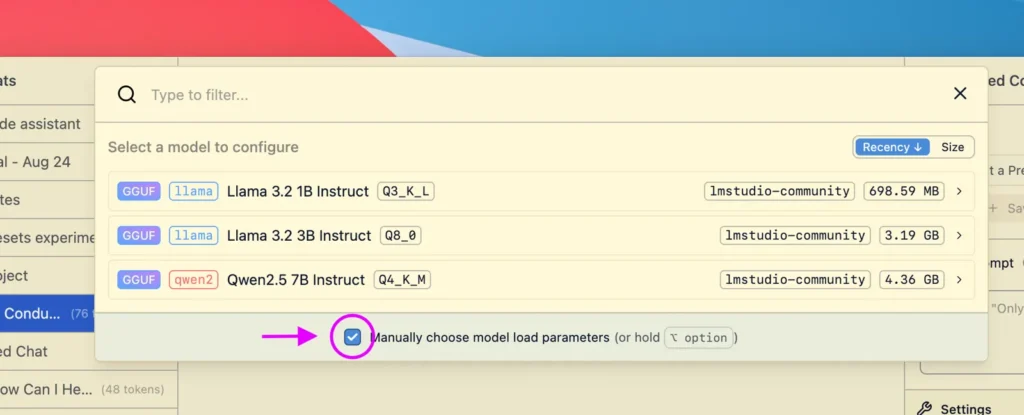
Context is where they part. llama.cpp starts from the top: its context size defaults to the longest context the model was trained for, and a mechanism called --fit, on by default, trims it down to a floor of 4,096 tokens and moves layers to system memory until the model fits, aiming to leave 1,024 MiB free on each device. LM Studio does not publish its default; you see the number, and change it, in the loader or with lms load --context-length. Our advice is the same for both: write the number yourself, and you know what you get.
Memory after the answer also differs. llama-server keeps the model loaded until you stop it; --sleep-idle-seconds makes it rest after a while. In LM Studio, models loaded on demand through the API unload after 60 minutes without requests, and loading a new one this way evicts the previous one.
Which doors are open: 127.0.0.1:1234 against 127.0.0.1:9931
Good news first: both listen only on your own machine out of the box. LM Studio waits on 127.0.0.1:1234; llama.cpp v0.9.0 on 127.0.0.1:9931 (it was 8080 up to v0.6.0, and the project’s Docker images still use 8080 inside the container). Nobody on your wifi reaches either until you open it on purpose: Serve on Local Network or lms server start --bind 0.0.0.0 in LM Studio, --host 0.0.0.0 in llama.cpp. They can run side by side: different ports, no clash.
The difference is CORS, which decides which web pages may use a local server from your browser, and here the two start from opposite ends. LM Studio keeps CORS off unless you switch on Enable CORS or start the server with --cors. llama.cpp’s default reflects any origin and allows credentials, so a web page you visit can send requests to your llama-server and read the answers while it runs; the server warns about it at startup with security: no API key is set and CORS allows all origins.
Both can ask for a key. LM Studio has Require Authentication since 0.4.0, with tokens that carry permissions; it is off by default. llama.cpp has --api-key, the LLAMA_API_KEY variable and --api-key-file for several. One catch on llama.cpp’s side: the key does not change CORS. The setting that closes it is --cors-origins localhost.

What each one sends, and what you can check
Here llama.cpp wins outright, and you do not have to trust us: the code is public. We searched its engine, server, terminal chat and chat page for analytics, telemetry and tracking and found none. v0.8.0 added 2 new ways out, and v0.9.0 keeps them as they were, both off until you switch them on: --connect, experimental, which opens a peer-to-peer tunnel to your server through a separate program, llama-connect; and the chat page’s Discover Models option, which, once ticked in the settings, queries Hugging Face from your browser, along with the project’s own model catalogue at llama.app (its help text says it is meant for router mode, when the server starts without a fixed model). llama.cpp itself has no update check and no account. It goes online only when you ask: model downloads with -hf, llama download or --model-url, models packaged as container images with --docker-repo, and llama update on installs made with the project’s script. Once your models are on disk, --offline forbids every download.
LM Studio says it has no telemetry, and by its own account 2 things go out by themselves: the app checks for updates (its privacy policy says it receives the app version and build, the operating system and the IP address), and the engines update themselves, on by default and switchable off in the app settings. Searching in Discover reaches Hugging Face, but only when you use it; the Hub, web search and cloud features need an account. Is that all? We cannot tell you: the code is closed and its terms forbid reverse engineering, so nobody outside the company can check. That is the trade for the window.
The licence follows the same line. llama.cpp is MIT: read it, change it, ship it inside your own product. LM Studio is free at home and at work under its terms, which forbid reselling it as a service. Every destination, with its source and date, is on our LM Studio page and our llama.cpp page.
Which one we would install, by profile
- First time with local AI, and no terminal: LM Studio. Search, load, chat, and a server that comes closed.
- A Mac with Apple Silicon: LM Studio, which also runs MLX models; llama.cpp only reads GGUF.
- A model released this week: a llama.cpp daily build, which gets new model families before LM Studio’s runtime.
- Nothing may leave the machine, and you want to check it: llama.cpp with
--offline. Open code is the only way to verify it. - A product or a service built on it: llama.cpp, MIT; LM Studio’s terms forbid reselling it as a service.
- An Intel Mac or an Android phone: llama.cpp, the only one of the 2 that runs there.
- Both: fine. Different ports, 1234 and 9931, and the same GGUF file can serve both.
If something fails along the way, we have a guide for when LM Studio does not work and another for when llama.cpp does not work. Weighing Ollama too? Our LM Studio vs Ollama and llama.cpp vs Ollama comparisons cover it, and the Model Finder tells you which models fit your machine.