llama-server is the HTTP server of llama.cpp: llama-server -m model.gguf serves an OpenAI-compatible API and a chat page on 127.0.0.1:9931 (8080 in v0.6.0 and earlier). By default it opens 4 slots that share the context you give it with -c. Add -np, --api-key and --host only when you need them.
We like llama-server because it hides nothing: every request, every slot and every token is in plain view, if you know where to look. So on 11 November 2026 we took the current stable release of llama.cpp, v0.9.0 (build b12110, published on 4 November 2026), started its Linux llama-server in a container with no network and a tiny 135-million-parameter model, SmolLM2 at Q4_K_M, and asked it everything: which port, which endpoints, how -c and -np share the context, and what it answers when something goes wrong. Every message quoted on this page is the one we got, word for word. Where we only read the code of v0.9.0, the text says so. On 15 November 2026 we ran every test again with v1.0.0 (build b12359, published on 13 November 2026): the same status codes, messages and memory figures, plus a security line at startup that we explain further down.
 llama.cppRuntime sheet
Start llama-server: the command, the port and the address
The shortest start is a model file:
llama-server -m ./SmolLM2-135M-Instruct-Q4_K_M.ggufor a model from Hugging Face, with -hf and the repository name. The new single llama program does the same with llama serve; this page uses llama-server, which the official Linux build we tested still includes. With v0.9.0 on 11 November 2026, and again with v1.0.0 on 15 November, our log ended with listening on http://127.0.0.1:9931, and the only socket open was 127.0.0.1 on port 9931. Port 8080 did not answer at all. If an old tutorial sends you to 8080, that is the port of v0.6.0 and earlier: --port 8080 brings it back.
The project’s Docker images are the exception: we read in the v0.9.0 and v1.0.0 Dockerfiles that they set LLAMA_ARG_HOST=0.0.0.0 and LLAMA_ARG_PORT=8080, so inside a container the server listens on 8080, on every interface.
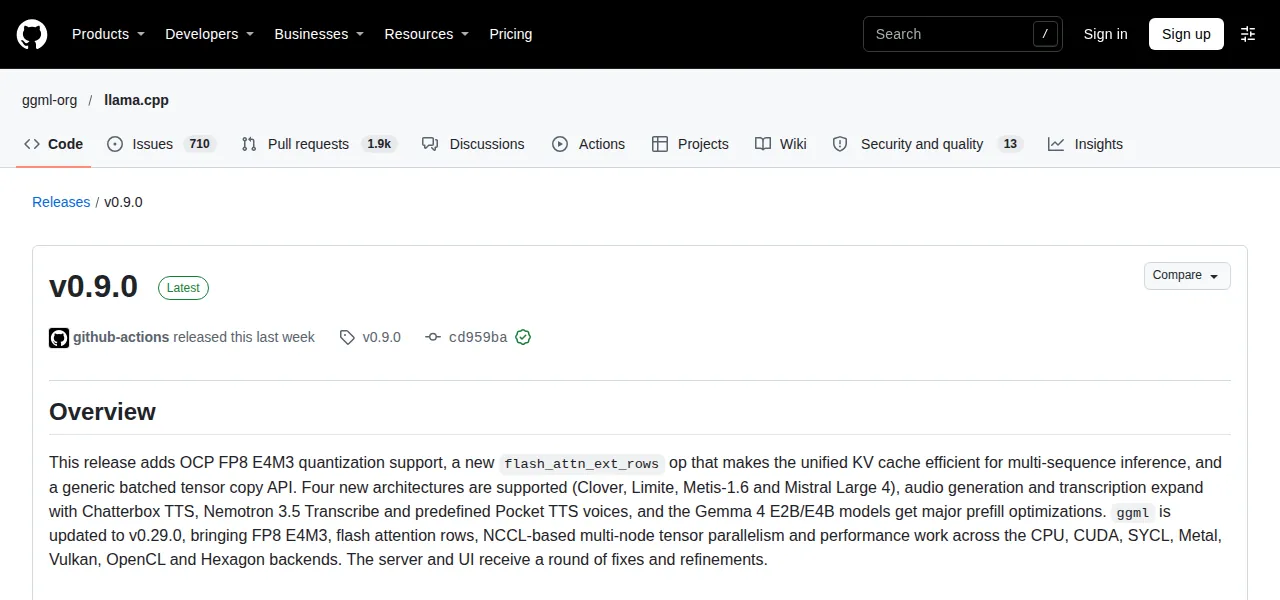
llama-server --version prints 0.9.0-dev (build 12110, commit cd959bae9) Screenshot: GitHub, ggml-org/llama.cpp, 11-11-2026The endpoints you will use, and what each one answers
llama-server speaks the OpenAI dialect, so most clients only need the base URL http://127.0.0.1:9931/v1. These are the endpoints we called, with the status code each one gave on a default start:
| Endpoint | What it is for | Default start (v0.9.0 and v1.0.0) |
|---|---|---|
GET /health |
is the server ready? | 503 while loading, then 200 {"status":"ok"} |
GET /v1/models |
the model it serves, OpenAI style | 200 |
POST /v1/chat/completions |
chat, OpenAI style | 200 |
GET /slots |
each slot and its context | 200 |
GET /props |
settings: slots, template, what is switched on | 200 |
GET /metrics |
counters for Prometheus | 501 until you add --metrics |
GET / |
the chat page | 200 in a browser |
A detail of /v1/models: the model’s id is the path you passed to -m, /models/SmolLM2-135M-Instruct-Q4_K_M.gguf in our case. Start with --alias smollm2 and the id becomes smollm2, which is friendlier for clients that ask you to type a model name. The answer also carries the model’s trained context (n_ctx_train, 8,192 here) and its size, handy for checking which file is really loaded. And every chat answer brings a timings block and a system_fingerprint with the build, b12110-cd959bae9 in v0.9.0 and b12359-b1b770d90 in v1.0.0.
“Loading model”: 503 from /health
Right after the start, /health answers 503 with {"error":{"message":"Loading model","type":"unavailable_error","code":503}}. That is not a failure: the model is still loading. Ours took 0.28 seconds, so we caught it 5 times in a row before the first 200; a model of many gigabytes keeps you there for longer. Scripts should wait for the 200 before sending work.
“This server does not support metrics endpoint. Start it with `--metrics`“
That is the 501 you get from /metrics on a default start. With --metrics it returns Prometheus counters such as llamacpp:prompt_tokens_total, llamacpp:tokens_predicted_total and llamacpp:n_tokens_max.
“Error: gzip is not supported by this browser”
We tested the chat page with a bare curl http://127.0.0.1:9931/ and got a 415 with that text. The page is stored compressed, and plain curl does not say it accepts gzip. A browser does, and curl --compressed gets a normal 200. Nothing is broken.
-c and -np: how llama-server shares the context between slots
This is where most surprises come from. A slot is a seat for one conversation; -np (or --parallel) says how many there are, and -c (or --ctx-size) says how many tokens of memory the server reserves in total. Here is what the log said, line n_slots / n_ctx_slot / kv_unified, for each start with our 8,192-token model:
| You start with | Slots | Context per slot | Shared pool? | KV cache reserved (RAM, CPU build) |
|---|---|---|---|---|
| nothing (default) | 4 | 8,192 | yes, 8,192 for all 4 | 180 MiB |
-np 4 |
4 | 8,192 | no: 4 × 8,192 | 720 MiB |
-c 4096 -np 4 |
4 | 1,024 | no | 90 MiB |
-c 4096 -np 4 -kvu |
4 | 4,096 | yes, 4,096 for all 4 | not logged |
-c 16384 -np 4 |
4 | 4,096 | no | 360 MiB |
-np 1 |
1 | 8,192 | no | 180 MiB |
Measured with llama.cpp v0.9.0 on 11 November 2026 and with v1.0.0 on 15 November 2026 (same figures), SmolLM2-135M at Q4_K_M; memory from the log line KV buffer size. A bigger model needs far more memory per token.
Three rules come out of it. With no flags, llama-server picks 4 slots and a unified cache (we read it in tools/server/server.cpp, lines 126-130 in v0.9.0 and 129-133 in v1.0.0): one pool of tokens that every conversation draws from, so a single long chat can use it all. Write -np 4 yourself and the pool stops being shared: each slot gets the full context, and the cache took 4 times the memory, 720 MiB instead of 180. And with -c plus -np, -c is divided: 4,096 over 4 slots leaves 1,024 tokens each, and the log warns, politely, n_ctx_seq (1024) < n_ctx_train (8192) -- the full capacity of the model will not be utilized. -kvu (--kv-unified) brings the shared pool back.
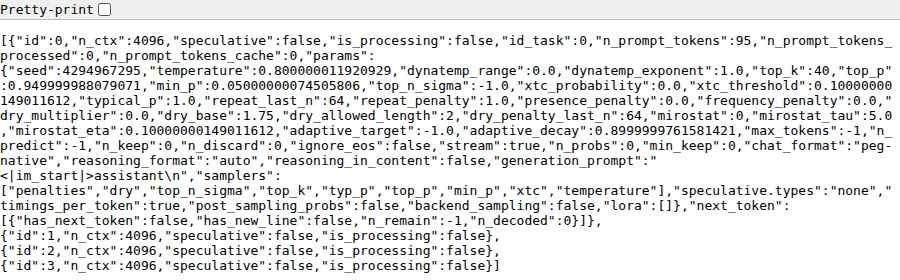
-c 4096 and no -np: 4 slots, each able to use the 4,096 tokens of the shared pool Screenshot: llama-server v0.9.0 (localaiscope.com), 11-11-2026More slots are for real parallel work. With -np 1 we sent 2 requests at once: one finished in 1.18 s and the other waited its turn and took 2.18 s. With -np 2, both finished in 1.33 s. If you are the only user, 1 slot with the whole context is the honest choice; with -np written by hand, every extra slot reserves its own cache (in our test, in RAM; we did not measure a graphics card). How much memory the model and its context take on your card is what our model finder calculates, at 8,192 tokens.

“request (931 tokens) exceeds the available context size (256 tokens), try increasing it”
That is the literal error we got when a prompt did not fit in its slot. We started -c 512 -np 2 (256 tokens per slot) and sent 931 tokens. The answer was a 400:
{"error":{"code":400,"message":"request (931 tokens) exceeds the available context size (256 tokens), try increasing it","type":"exceed_context_size_error","n_prompt_tokens":931,"n_ctx":256}}The number in brackets is the context of one slot, not the -c you typed. If you see a figure smaller than you expected, divide your -c by your slots and you have the culprit. The fixes, in order: drop -np (or set -np 1), add -kvu so the slots share the pool, or raise -c.
The other edge is quieter. With the same server, a short prompt, max_tokens 400 and ignore_eos (so the model could not stop by itself), generation stopped at 256 tokens in total (35 of prompt, 221 of answer) with finish_reason: "length" and a 200, and the log said truncated = 1. No error: the answer is simply cut where the slot ends, because context shift is off by default in v0.9.0 and v1.0.0 (we read it in common/common.h, line 580 in v0.9.0, 592 in v1.0.0). If answers stop mid-sentence, check finish_reason before you blame the model.
--host, --port and --api-key: “Invalid API Key”
--host 0.0.0.0 --port 8080 did what it says: the log showed listening on http://0.0.0.0:8080 and the socket was open on every interface. Before you do that on a laptop that leaves the house, add a key. With --api-key (or the LLAMA_API_KEY variable, so you do not type it on the command line), a request without the key, or with the wrong one, got a 401:
{"error":{"message":"Invalid API Key","type":"authentication_error","code":401}}Send it as Authorization: Bearer your-key, which is what OpenAI clients do; the code of v0.9.0 also accepts it in an X-Api-Key header. Two things the key does not cover, measured: /health still answered 200 without it, and the chat page is public too (without the key it still answered, with the gzip 415 of plain curl); its own calls to the API do need the key, as we read in the code. And if the port is taken, the server does not start: couldn't bind HTTP server socket, hostname: 127.0.0.1, port: 9931, and it exits. That one, and 13 more, are in our guide to llama.cpp errors.
The web interface: a chat on the same port
Open http://127.0.0.1:9931 in a browser and there is a full chat: conversations, the model name, its parameter count and quantization, and tokens per second under each answer. It is switched on by default; --no-webui turns it off if you only want the API.
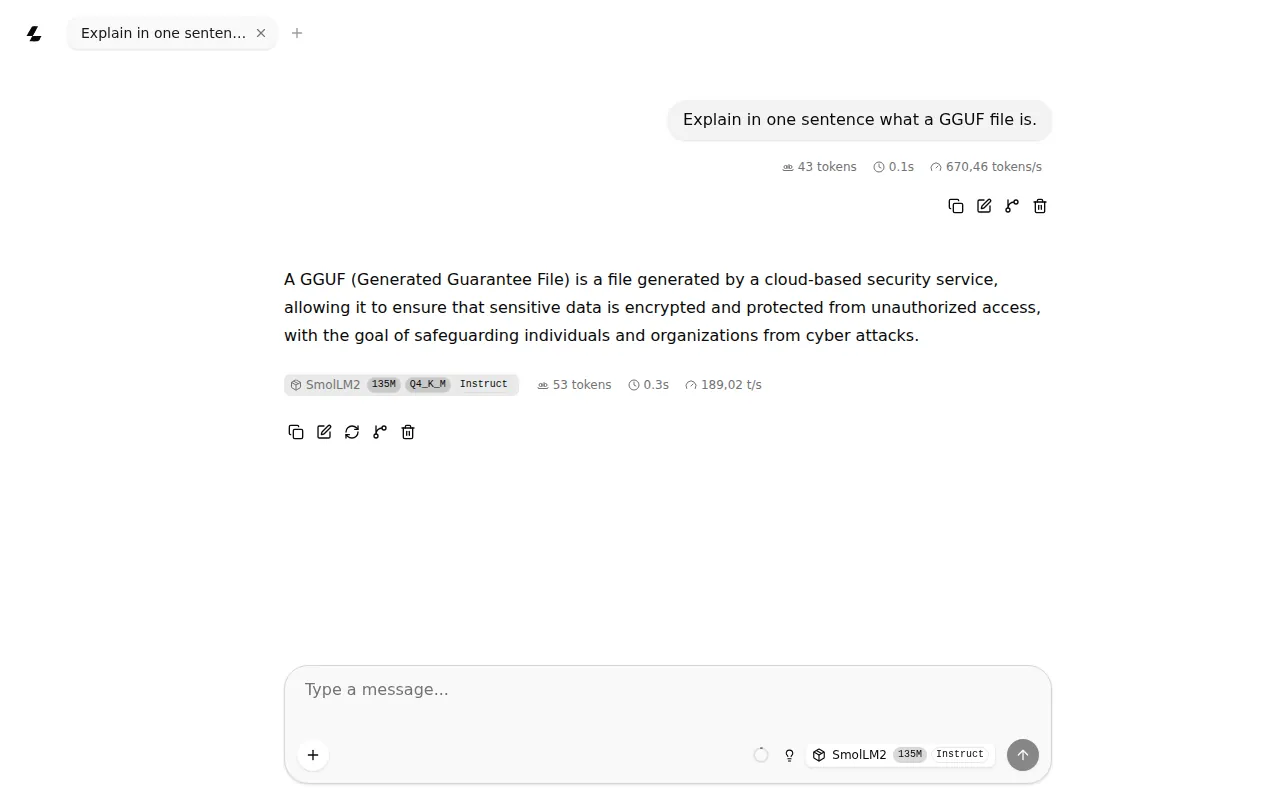
Yes, that answer is wrong, and gloriously so: 135 million parameters are enough to test a server, not to explain one. Use a real model for real questions. In the video below the server is started with -hf, a host and a port, and the interface is shown in use.
Opens on YouTube (no cookies) only when you press play.
Several models behind one server: router mode
Start llama-server with no model and a folder, and it becomes a router:
llama-server --models-dir ~/modelsOur log said starting server in router mode. models will be automatically loaded on-demand and, as a warning, router mode enabled - do not expose to untrusted environments. /v1/models listed our 2 GGUF files (the same model, copied under 2 names), each named after its file without .gguf and marked unloaded. A chat request without a model name got a 400: model name is missing from the request. With "model": "SmolLM2-135M-Instruct-Q4_K_M" in the body, the router started a separate llama-server for that model on a port of its own, answered, and the list showed it as loaded while the other stayed unloaded. We read in the code that it keeps up to 4 models loaded by default (--models-max).
Opens on YouTube (no cookies) only when you press play.
The start we would copy
For one person on one machine:
export LLAMA_API_KEY="a-long-random-string"
llama-server -m ./your-model.gguf -c 8192 -np 1 --alias local
That gives one slot with all 8,192 tokens, a key, and a short model name, on 127.0.0.1:9931. Check it with curl http://127.0.0.1:9931/health and curl -H "Authorization: Bearer $LLAMA_API_KEY" http://127.0.0.1:9931/v1/models. Installing llama.cpp, choosing the build for your card and the rest of the security settings, CORS included, are in our llama.cpp setup guide; what it sends out on its own is on the llama.cpp sheet; and if you are weighing it against a server built for many users, see vLLM vs llama.cpp.