To uninstall Ollama: on Windows, remove it from Add or remove programs and leave “Remove models” ticked; on a Mac, quit it, drag Ollama.app to the Bin and delete ~/.ollama; on Linux, stop and disable the service, then delete the binary, /usr/local/lib/ollama, the ollama user and /usr/share/ollama. Then check .ollama and any OLLAMA_MODELS folder.
Saying goodbye to Ollama is easy. Saying goodbye to all of it takes a little more care, because the program and the models live in different places, and the models are the heavy part: they can add up to tens of gigabytes. So on 10 November 2026 we installed the current stable version, v0.40.16, with the official Linux installer inside a throwaway container (Ubuntu 24.04 with systemd running), downloaded a tiny 135-million-parameter model (smollm2:135m), uninstalled it and compared the whole file system before and after with find. Everything that says “we measured” comes from those runs, between 07:55 and 07:58 UTC. Windows and macOS we did not run: what we say about them we read in the v0.40.16 source code (the Windows installer script and the Mac app), and the text says so.
 OllamaRuntime sheet
What Ollama installs, and where it keeps your models
Ollama is 2 things: the program (a server plus the ollama command) and a folder called .ollama with your models, a key and some settings. The uninstallers take care of the first; the second is where the gigabytes stay behind.
| System | The program | Your models (by default) | What tends to stay |
|---|---|---|---|
| Linux (install.sh) | /usr/local/bin/ollama + /usr/local/lib/ollama, ollama user and service |
/usr/share/ollama/.ollama/models (service) |
~/.ollama if you ran it as yourself, OLLAMA_MODELS folder, service overrides |
| Windows | %LOCALAPPDATA%\Programs\Ollama |
%USERPROFILE%\.ollama\models |
the rest of .ollama, the PATH entry, OLLAMA_MODELS folder |
| macOS | /Applications/Ollama.app + link /usr/local/bin/ollama |
~/.ollama/models |
everything except the app, unless you delete it |
On Linux we measured the size of the program: the installer downloaded 1.55 GB and left a 44.3 MB binary plus 2.49 GB of libraries in /usr/local/lib/ollama (most of it NVIDIA CUDA 12 and 13 support: 1.3 GiB and 1.1 GiB). The models are extra: our tiny one took 271 MB, and Ollama’s own documentation talks of tens to hundreds of GB.
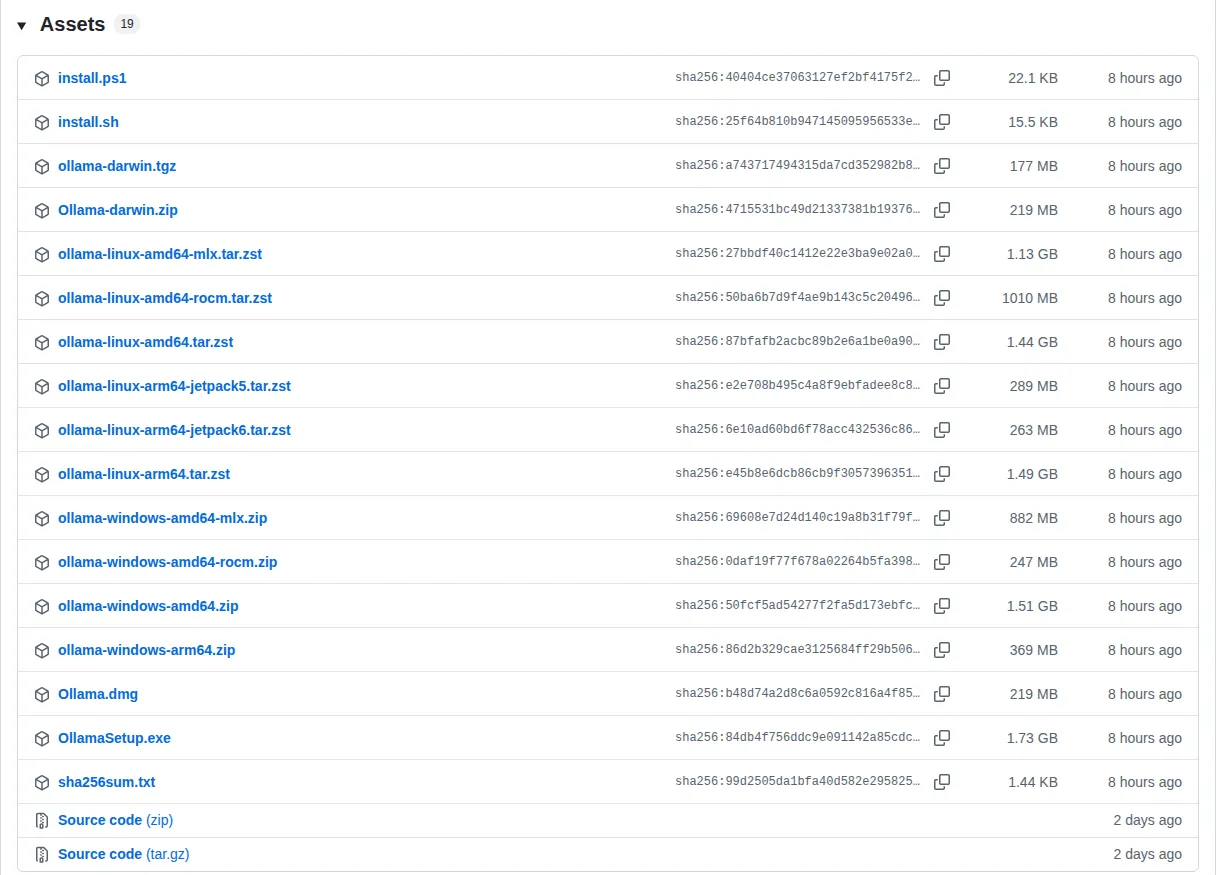
Uninstall Ollama on Linux: the commands, tested
The Linux installer does more than copy a file. We watched it create a system user called ollama (no login shell, home in /usr/share/ollama), add it to the video group (the script also adds it to render where that group exists), add your user to the ollama group, write /etc/systemd/system/ollama.service and start it. That service runs as the ollama user, so the models it downloads go to /usr/share/ollama/.ollama/models, not to your home folder. These are the commands we ran, with the paths written out, in 2 rounds that the next paragraph explains; after them the disk was identical to the one before installing, except for the system journal:
sudo systemctl stop ollama
sudo systemctl disable ollama
sudo rm /etc/systemd/system/ollama.service
sudo rm -r /usr/local/lib/ollama
sudo rm /usr/local/bin/ollama
sudo userdel ollama
sudo groupdel ollama
sudo rm -r /usr/share/ollama
sudo rm -r /etc/systemd/system/ollama.service.d   # only if it exists
sudo systemctl daemon-reload
rm -r ~/.ollama                                  # models and key of your own user
sudo rm -r /path/of/your/OLLAMA_MODELS           # only if you moved the models
We tried the short version first, the 8 commands that remove the service, the libraries, the binary, the user and /usr/share/ollama. It took 1 second and finished without errors, but our find still found 3 things: the override folder ollama.service.d (it appears when you change a variable with systemctl edit), the ~/.ollama of our user (271 MB of model and a key, from when we had started ollama serve by hand) and the custom OLLAMA_MODELS folders, each with its own 271 MB copy. The last 4 lines of the block are for those. After them: 0 new paths compared with the clean system, and find / -iname '*ollama*' came back empty.
Two details from the run. userdel warned group ollama not removed because it has other members: the other member is you, added by the installer, and the next groupdel removes the group. And if your ollama lives in a folder of your own (not /usr/local/bin, /usr/bin or /bin), write the library path by hand (the same folder with lib instead of bin) instead of building it with tr: that tool swaps letters, not words, and turned our test path /home/ana/bin/ollama into /home/aba/lib/ollama. The service log is the only thing that stays, in the system journal (85 lines in our test), until the journal rotates it away.
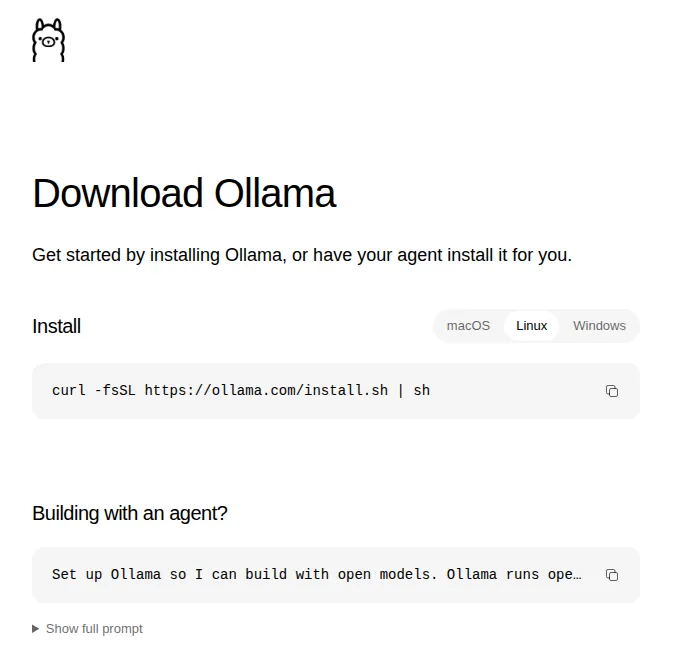
Uninstall Ollama on Windows (and what the uninstaller keeps)
On Windows, quit Ollama from its icon in the taskbar, then open Add or remove programs in Windows Settings, find Ollama and choose Uninstall. If you installed it with the PowerShell line, the same script can start the uninstaller for you: $env:OLLAMA_UNINSTALL=1; irm https://ollama.com/install.ps1 | iex (we read it in scripts/install.ps1, lines 20-22 and 206-238).
What happens next we read in the installer script, app/ollama.iss of v0.40.16. The uninstaller removes the program folder %LOCALAPPDATA%\Programs\Ollama, the logs and app data in %LOCALAPPDATA%\Ollama, the temporary ollama* folders, .ollama\history and the startup shortcut (lines 135-140). Then it shows a box, “Remove models (N GB)”, ticked by default (lines 260-277), and with the tick it deletes the heavy part of %USERPROFILE%\.ollama\models, the blobs and manifests folders (lines 307-324). Untick it and your models stay. The models folder we measured on Linux also has 2 small folders, metadata and manifests-v2, that this step does not name, which is one more reason to delete .ollama yourself afterwards.
It keeps 3 things on purpose or by omission. A models folder of your own, set with OLLAMA_MODELS: the script itself notes that it is preserved (line 141). The rest of .ollama, including the id_ed25519 key that identifies your installation to ollama.com. And the line that adds Ollama to your user PATH, which the installer writes without a flag to remove it (lines 157-160). Delete the folder from Explorer (%USERPROFILE%\.ollama) and the PATH entry from “Edit environment variables for your account”. One more case: an unattended uninstall (silent mode) skips that box, so the models are kept (line 230).
Opens on YouTube (no cookies) only when you press play.
The video does it with winget uninstall and then checks the same leftovers by hand: the .ollama folder and the PATH entry.
Uninstall Ollama on a Mac (there is no uninstaller)
On a Mac, Ollama is an app you drag in, and you remove it the same way, plus a few folders. First quit the app (otherwise it keeps running in the background), then, in Terminal:
sudo rm -rf /Applications/Ollama.app
sudo rm /usr/local/bin/ollama
rm -rf ~/.ollama
rm -rf ~/Library/"Application Support"/Ollama
rm -rf ~/Library/Caches/ollama ~/Library/Caches/com.electron.ollama
rm -rf ~/Library/"Saved Application State"/com.electron.ollama.savedState
rm -rf ~/Library/WebKit/com.electron.ollama
What each line is for, read in the source of the v0.40.16 app: the link in /usr/local/bin is the one the app offers to create when it starts and cannot find the command, so that ollama works in Terminal; ~/.ollama holds the models, the key and the logs; Application Support/Ollama holds the app settings and db.sqlite, the database with your chats from the app window; and Caches/ollama keeps update backups. The start-at-login entry is registered from a file inside Ollama.app itself, so it goes with the app; if Ollama still shows up among the login items in System Settings, switch it off there.
If you prefer Finder for .ollama: open your home folder and press Cmd + Shift + . to see hidden folders. The second video shows it.
Opens on YouTube (no cookies) only when you press play.
Delete only the models and keep Ollama
If what you want is disk space, you do not need to uninstall anything. ollama list shows your models with their size, and ollama rm <name> deletes one: we measured it, and after ollama rm smollm2:135m the models folder had 0 files left. If the model is loaded, ollama rm unloads it from memory first (we read that in the code), so there is nothing to stop beforehand. Moving to another version does not touch them either: when we updated Ollama on Linux and in Docker, the models stayed where they were.
There is a trap on Linux that explains many “where did my models go?” moments. The service and your own user keep 2 separate stores. We downloaded the same model through the service and then started ollama serve as our own user: ollama list came back empty, because that server looks in ~/.ollama/models and the first download was in /usr/share/ollama/.ollama/models. Download it again and you have it twice. If your disk filled up faster than expected, check both folders with sudo du -sh /usr/share/ollama/.ollama/models ~/.ollama/models.
Change where Ollama stores models (OLLAMA_MODELS)
To keep the models on another disk, set the OLLAMA_MODELS variable to the folder you want. The variable has to reach the server, not your terminal, and that changes per system:
- Linux (service):
sudo systemctl edit ollama.service, add[Service]andEnvironment="OLLAMA_MODELS=/srv/ollama-models", thensudo chown -R ollama:ollama /srv/ollama-models,sudo systemctl daemon-reloadandsudo systemctl restart ollama. - Windows: quit Ollama, create
OLLAMA_MODELSin “Edit environment variables for your account” and start it again. - macOS (app):
launchctl setenv OLLAMA_MODELS /Volumes/Disk/ollama-modelsand restart the app.
We did it on Linux with 3 results worth knowing. With the chown, the next download went straight to the new folder. Without it, the service did not start at all: it kept retrying every 3 seconds with this in the log:
Error: mkdir /srv/sin-permiso/blobs: permission denied: ensure path elements are traversableAnd the models you already had do not move by themselves: right after the change, ollama list was empty. Copy them first and they come back:
sudo cp -a /usr/share/ollama/.ollama/models/. /srv/ollama-models/
sudo chown -R ollama:ollama /srv/ollama-models
sudo systemctl restart ollamaOllama in Docker, and the final check
If you run Ollama in a container, the models live in the volume, not in the container: docker rm -f ollama, docker volume rm ollama and docker rmi ollama/ollama remove all 3 pieces. The details, with the volume and the folders we tested, are in our guide to running Ollama in Docker.
To check that nothing is left, ask the system directly. On Linux, which ollama should print nothing, and systemctl status ollama should say the unit could not be found; sudo find / -iname '*ollama*' 2>/dev/null is the thorough version (on our test, a search of the whole disk by that name came back empty). On a Mac, ls -d ~/.ollama /Applications/Ollama.app should say “No such file”. On Windows, where ollama in a new terminal should not find it, and %USERPROFILE%\.ollama should no longer exist.