Let’s start with the good news: your computer can almost certainly run a local AI, and the first time one answers you from your own desk, it feels a little bit like magic. The other half: what it cannot run is the one you have been using. On an 8 GB graphics card, 7 of the 28 models we measure fit alongside an eight-page document, and the biggest of them is 5.29 GiB; the largest model that fits on any machine we list is 433.83 GiB. Everything else on this page follows from that gap.
That is not a reason to skip local AI, though. It is the reason to know what you are trading before you spend a weekend installing something.
What actually changes when the model runs on your machine
Four things change, and only four.
Nothing you type leaves the machine. Not the document, not the prompt, not the draft you decided not to send after all. There is no processor agreement to sign, no international-transfer clause to read, no training opt-out to take on faith. For anything covered by GDPR, that removes the paperwork rather than mitigating it.
The cost stops being per use. You pay once for hardware and electricity. No taxi meter ticking away while you paste a long contract in and ask for a summary five times.
It works with the network unplugged. Once the file is on disk, a flight, a rural office or a locked-down network stops being a blocker.
And it is smaller and slower than what you are used to. That is exactly the part nobody puts next to the price, so the rest of this page is about putting numbers on it.
How we count, before any number
Every figure here uses one compression per model: Q4_K_M where the author publishes it, the nearest neighbour where they do not. Q4_K_M is our quality floor, because below it the loss shows in the answers.
How much smaller, exactly
A local model is a file, and it has to fit in the memory left after the operating system takes its share — together with the memory the conversation itself occupies and the runtime’s own working margin. We reserve 0.8 GiB on dedicated graphics cards and 3 GiB on unified or system memory. On PCs with Ryzen AI Max+ a different limit applies: AMD lets the GPU use at most 96 GiB of 128 GB and 160 GiB of 192 GB.
For a 4,000-word document in English:
| Machine | Memory for the model | Models that fit | Biggest that fits | Size | Distance to glm-5.2 |
|---|---|---|---|---|---|
| PC with an RTX 4060 8 GB | 7.20 GiB | 7 of 28 | qwen3.5-9b |
5.29 GiB | 82x |
| PC with an RTX 3060 12 GB | 11.20 GiB | 9 of 28 | phi-4 |
8.43 GiB | 51x |
| PC with an RTX 4070 12 GB | 11.20 GiB | 9 of 28 | phi-4 |
8.43 GiB | 51x |
| Mac with M4 and 16 GB unified | 13.00 GiB | 10 of 28 | gpt-oss-20b |
10.83 GiB | 40x |
| Laptop, 16 GB, no graphics card | 13.00 GiB | 10 of 28 | gpt-oss-20b |
10.83 GiB | 40x |
| Mac mini with M6 and 16 GB | 13.00 GiB | 10 of 28 | gpt-oss-20b |
10.83 GiB | 40x |
| Mac with M4 Pro and 24 GB | 21.00 GiB | 17 of 28 | qwen3-coder-30b |
17.28 GiB | 25x |
| Workstation with an RTX 4090 24 GB | 23.20 GiB | 18 of 28 | qwen3.6-35b-a3b |
20.61 GiB | 21x |
| Mini-PC with an NPU and 32 GB | 29.00 GiB | 20 of 28 | nemotron-3.5-lightning-30b |
23.73 GiB | 18x |
| Mac mini with M6 and 32 GB | 29.00 GiB | 20 of 28 | nemotron-3.5-lightning-30b |
23.73 GiB | 18x |
| Server with 2× RTX 3090 (48 GB) | 47.20 GiB | 20 of 28 | nemotron-3.5-lightning-30b |
23.73 GiB | 18x |
| Mac with M4 Max and 64 GB | 61.00 GiB | 21 of 28 | gpt-oss-120b |
58.46 GiB | 7x |
| Mac mini with M5 Pro and 64 GB | 61.00 GiB | 21 of 28 | gpt-oss-120b |
58.46 GiB | 7x |
| Xiaomi AI Cube, 80 GB (prototype) | 77.00 GiB | 23 of 28 | nemotron-3.5-super-120b |
65.29 GiB | 7x |
| PC with Ryzen AI Max+ 395 and 128 GB | 96.00 GiB | 24 of 28 | qwen3.8-flash-next |
87.25 GiB | 5x |
| Mac Studio with M5 Max and 128 GB | 125.00 GiB | 24 of 28 | qwen3.8-flash-next |
87.25 GiB | 5x |
| PC with Ryzen AI Max+ PRO 495 and 192 GB | 160.00 GiB | 25 of 28 | deepseek-v4-flash |
127.28 GiB | 3x |
| Mac Studio with M5 Ultra and 512 GB | 509.00 GiB | 27 of 28 | glm-5.2 |
433.83 GiB | 1x |
Calculated by Local AI Scope from published file sizes and each model’s real attention pattern, every row at the same reference compression so the sizes are comparable. Sizes come from the authors’ own published builds: glm-5.2, phi-4, gpt-oss-20b. glm-5.2 is 433.83 GiB in Q4_K_M; the least compressed build we catalogue (Q8_0) is 746.32 GiB.
What matters most in that table is not the ratio; it is two things you read between the lines. The first: the ladder only reaches parity at the very top. A 64 GB Mac, which is hardly a cheap machine, is still 7 times short of the largest weights that fit on any machine here, 128 GB only brings that down to 5, 192 GB to 3, and the only machine here that reaches 27 of 28 is the Mac Studio with M5 Ultra and 512 GB. mistral-large-4 (591.21 GiB) fits on none of them.
 Mac Studio with M5 Ultra and 512 GBHardware sheet
How slow is slow
Speed splits into two numbers that behave differently, and mixing them up is why people are surprised.
Writing the answer is limited by memory bandwidth. Reading your document first — before a single word comes back — is limited by raw compute. In a short chat the second number goes unnoticed; in a long document it is the only number left.
Same 4,000-word English document, best fitting model for that job on each machine:
| Machine | Model | Writes at | Waits before the first word |
|---|---|---|---|
| Laptop, 16 GB, no graphics card | phi-4 |
~3.2 tokens/s | ~9 min 42 s |
| Mac with M4 and 16 GB unified | phi-4 |
~7.3 tokens/s | ~1 min 48 s |
| PC with an RTX 3060 12 GB | phi-4 |
~26 tokens/s | ~31 s |
| PC with an RTX 4060 8 GB | qwen3.5-9b |
~31 tokens/s | ~16 s |
| Workstation with an RTX 4090 24 GB | qwen3.6-35b-a3b |
~213 tokens/s | ~2 s |
Estimated by Local AI Scope, not measured: the formula uses each machine’s declared memory bandwidth and compute, with conservative efficiency assumptions. It is published so you can check it, and it never decides whether a model fits.
Now the same machines with a normal chat message of about 1,000 words. The RTX 4060 waits around 4 seconds and writes at roughly 31 tokens/s. The 16 GB laptop with no graphics card waits about 16 seconds and writes at roughly 17 tokens/s.
PC with an RTX 4060 8 GBHardware sheetIs a local AI good enough to replace ChatGPT for my day-to-day work?
Here it pays to split the question in two, because each half has its own answer.
Short jobs that fit in a page or two — drafting, rewriting, summarising, questions about a document, working offline: this is exactly the kind of job a model on a normal machine is built for, and the privacy and the flat cost are real wins.
Long-document reasoning, code across a whole repository, anything where you were leaning on a frontier model: short of a 512 GB Mac Studio, the file on your disk is 3 to 82 times smaller than the largest one that fits on any machine here, depending on your machine, and no setting closes that gap.
Opens on YouTube (no cookies) only when you press play. More videos on its sheet →
What that size difference costs you in answer quality, we have not measured, and we are not going to put a number on it.
Anyone who tells you their local model is “as good as GPT in German” without publishing how they measured it is guessing.
One thing that does change the answer: the language you work in
This is one of our favourite parts to explain. The same text is not the same number of tokens in every language, and context is reserved in tokens. Measured with each model’s own tokenizer over a parallel corpus of ours (sha256[:16] 2f6c96b6ea0b161f), a contract costs up to 1.77x more tokens in German than in English, up to 1.47x in French and up to 1.40x in Spanish, depending on the model.
That is no rounding error, because the runtime reserves context in powers of two: cross a step and memory jumps. A bit like checked luggage: everything is fine until the scale tips past the limit. On an RTX 4060, a German document starts costing you a model at 2,800 words, a Spanish one at 4,200 and a French one at 4,200. On the 16 GB machines the same crossing happens at 5,700 words in German, 8,400 in Spanish and 8,400 in French. The 12 GB cards cross at the same points as the RTX 4060. From 16 GB up, every machine crosses at 5,700, 8,400 and 8,400, the 512 GB one included, and the model that drops there is phi-4: at those lengths the document already asks for more than the 16k of context phi-4 accepts. No memory is missing there; its context runs out. The token calculator has the per-model figures.
If you are going to buy something, buy memory
Two rules hold up in every scenario we have calculated.
- Memory decides what fits; bandwidth decides how fast it runs. An RTX 4070 12 GB and an RTX 3060 12 GB fit exactly the same models. The 4070 runs them faster and adds none.
- The file size is the specification, not the parameter count.
gemma4-12bis 6.63 GiB andqwen3-coder-30bis 17.28 GiB: the second will not fit on any 12 GB card, whatever its name promises.
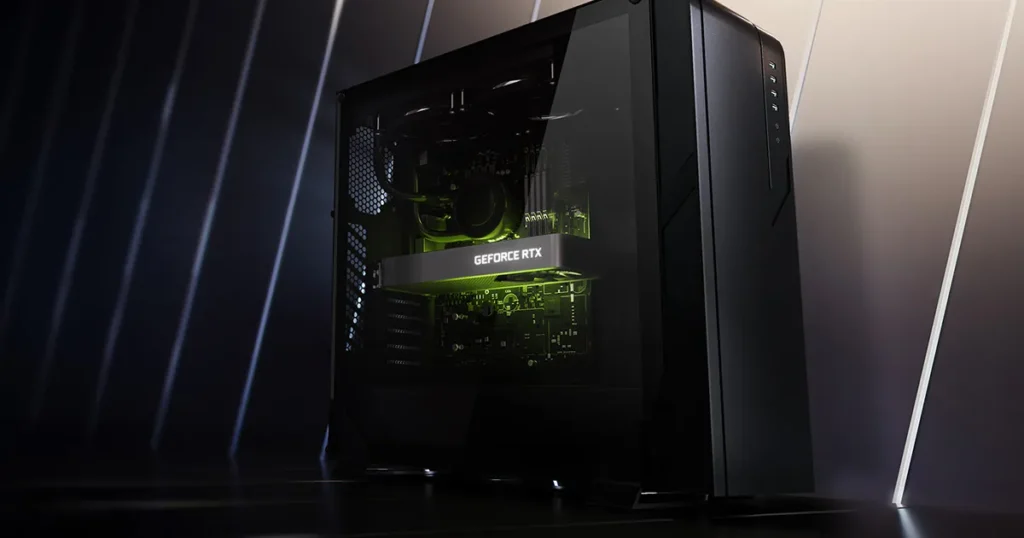
The hardware pages carry the two lists for each machine — what fits and what does not — with the memory and bandwidth each one actually has, counted the same way as this page. We calculate that list before we look at what is on sale, and we say so in our editorial policy: a machine never ranks higher here because it is easier to buy.
Three questions, and the tool answers them
The model finder needs three answers and runs entirely in your browser — what you type into it never reaches us.
- What machine do you have? Memory and type, not brand. Start from your own: RTX 4060 8 GB · RTX 3060 12 GB · Mac M4 16 GB · laptop with no graphics card · RTX 4090 24 GB.
- What are you feeding it, how long, and in what language? A 600-word email and a 12,000-word contract are different machines’ problems, and the language moves the answer.
- What is in that data? Nothing sensitive, company-internal, personal data, or must-not-leave. That last one is the only answer that makes the verdict a requirement rather than a preference.
 Mac with M4 and 16 GB unified memoryHardware sheet
 Workstation with an RTX 4090 24 GBHardware sheet
Opens on YouTube (no cookies) only when you press play. More videos on its sheet →
One difference worth knowing: the tool will also show you what fits if you allow harsher compression than Q4_K_M, and it labels those clearly. The counts on this page never do.