MLX (mlx-lm)
Version in force mlx-lm 0.32.2 (mlx 0.32.4)2026-10-16 (mlx-lm) / 2026-10-14 (mlx)Tree audited mlx-lm tag v0.31.3 + main 2026-08-25; mlx 0.32.1Licence MIT
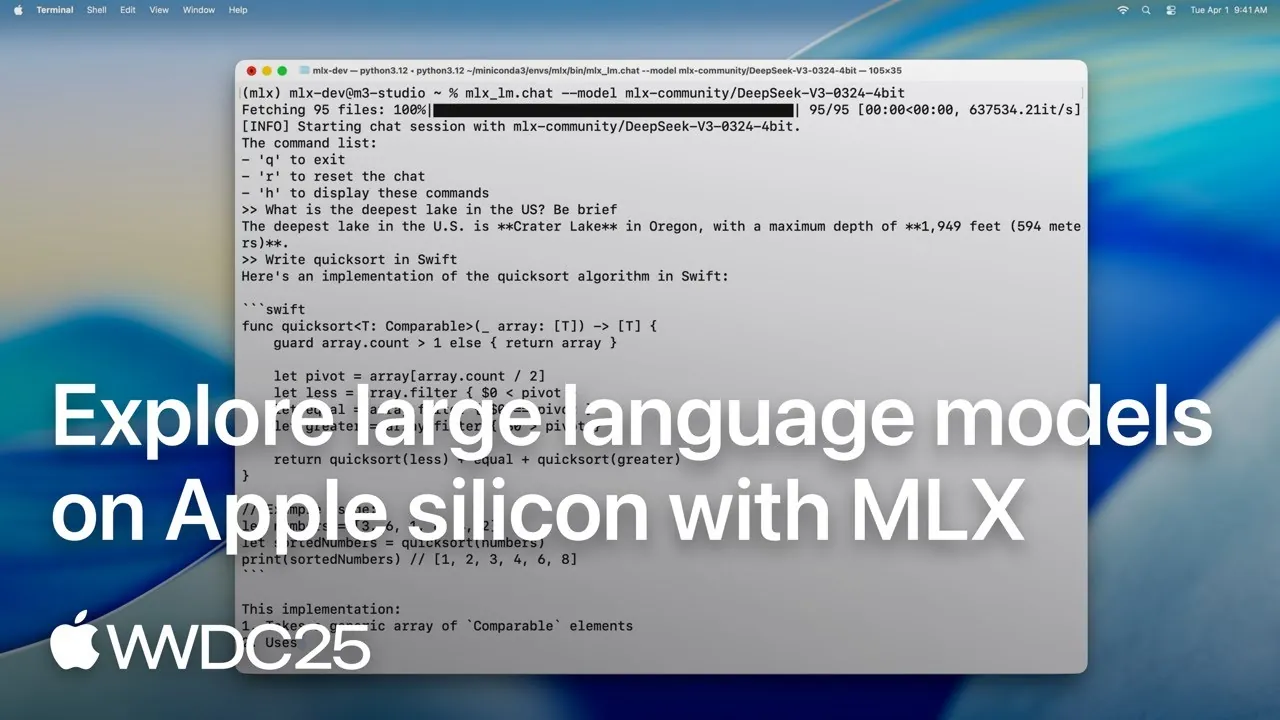

MLX is Apple’s way to run models on Apple Silicon Macs (not on Intel ones; on Windows, undocumented). mlx-lm makes 0 calls home out of the box and has no telemetry of its own: the only one comes with the Hugging Face download, and HF_HUB_DISABLE_TELEMETRY turns it off. MIT, public code. Version in force: mlx-lm 0.32.2 (mlx 0.32.4).
Apple’s array framework for Apple Silicon, plus the mlx-lm layer that turns it into a language-model runtime. They are two different packages: mlx is the maths framework, like NumPy or PyTorch, and mlx-lm is what actually runs models. It exploits unified memory: CPU and GPU share the same pool with no copying.
Steps to the first token
Vendor declared
Hosts it contacts out of the box
Measured by Local AI Scope
Licence
Measured by Local AI Scope
Videos: MLX (mlx-lm) 4
The official videos we found most useful. Press play and it opens right here.
The videos live on YouTube, and nothing loads from there until you press play (no-cookie mode). The thumbnail is served by us.
How we checked this
Everything this sheet says about the network comes from reading the published source code and the official documentation on the date shown — not from watching the traffic. We have not yet sat the program in front of a network analyser, so this is static analysis, not observation. That capture is still on our list; the day we have it, these cells move up a level of evidence. Until then, no pretending we sniffed the wire: we have read the recipe, not tasted the dish.
What leaves your machine
Before a local runtime gets anywhere near your documents, we ask it four questions: what it sends on its own, who else it calls, which address it listens on, and whether you can check any of that yourself. Think of it as a job interview.
Telemetry out of the box
None of its own — it inherits the download library’s. Verified by us in the primary source
We swept the whole mlx_lm package, the main branch, the published 0.31.3 and, on 1 October 2026, the new 0.32.0, looking for telemetry, analytics, posthog, sentry, mixpanel and usage stats: zero matches in all three. Same in the mlx framework. But mlx-lm downloads through huggingface_hub, and that library does collect data by default. This is the transferable finding of the whole comparison: the telemetry is not put there by the runtime, it is put there by the download library. A detail that says a lot: mlx-lm does not identify itself to Hugging Face at all, so its user-agent header literally starts with «unknown/None».
«By default, some data is collected by HF libraries (transformers, datasets, gradio,..) to monitor usage […]. You can set HF_HUB_DISABLE_TELEMETRY=1 as environment variable to globally disable telemetry.»
How to switch it off: HF_HUB_DISABLE_TELEMETRY=1, or the cross-vendor DO_NOT_TRACK=1. For a fully offline run, HF_HUB_OFFLINE=1 — Hugging Face’s own documentation warns that even when the model is already cached, an HTTP request is made to check whether the file has a newer version.
Source · consulted 2026-08-25
Other calls home
| What | Where to | When | Can you avoid it | Evidence |
|---|---|---|---|---|
| Model download | huggingface.co (or modelscope with MLXLM_USE_MODELSCOPE) |
When you ask for a model that is not cached, and to check whether cached ones have a newer version. | HF_HUB_OFFLINE=1 | verified by us |
| Calibration file for quantising | a GitHub gist |
Once only, and only if you quantise with AWQ, GPTQ or dynamic quantisation. | Do not use those methods | verified by us |
| Images a chat request passes as a web address | whatever web address the request carries |
Since 0.32.1, when a chat request to mlx_lm.server contains an image as an http(s) address: the server downloads it itself (30-second timeout) before answering, whichever model you have loaded. | No switch to turn it off: keep your own images inline (base64) and do not leave the server running while you browse | verified by us |
Source · consulted 2026-08-25
Which address it listens on
| Setting | Out of the box |
|---|---|
| Listens on | 127.0.0.1:8080 |
| Authentication out of the box | none |
| CORS out of the box | Wide open: any origin, any method, any header |
It listens on localhost, but with CORS wide open — any origin, any method, any header — and with no authentication anywhere: its own examples say api_key=”not-needed”. The server is built on Python’s standard library, not a production server, and the documentation says as much. The same warning is in the code pip installs: mlx_lm.server prints it every time it starts («mlx_lm.server is not recommended for production as it only implements basic security checks.»). Verified by us in the primary source
«The MLX LM server is not recommended for production as it only implements basic security checks.»
Source · consulted 2026-08-25
Can this be audited?
Yes. MIT, Apple Inc., both mlx and mlx-lm. That is what lets us say «no telemetry of its own» as a checked absence rather than a claim — and, more importantly, what lets us say that its device types are exactly two. Verified by us in the primary source
Source · consulted 2026-08-25
Privacy policy
There is no privacy policy, and here that is good news rather than a gap: there is no service behind the program and no data controller to ask for one. not verified
What it runs, and where
Platforms, accelerators and model formats: the three walls you can hit on that first, eager evening. Better to find them here than at midnight with a model half downloaded.
Where it runs
| Platform | Support | Evidence |
|---|---|---|
| Windows | Partial and undocumented. The mlx framework has published official Windows wheels (x64 and ARM64) since July 2026 and tests them in CI, but its documentation never mentions Windows, and mlx-lm declares its dependency for macOS only — so outside macOS `pip install mlx-lm` does not install the engine. Whether mlx-lm works on Windows is not verified. | verified by us |
| macOS Apple Silicon | Yes, this is its platform. macOS 14.0 or newer to install; some large-model features need macOS 15. | verified by us |
| macOS Intel | No. All the macOS wheels are arm64; there is no x86_64 one. Watch out for running Python under Rosetta — their own guide warns about it. | verified by us |
| Linux | Yes for the mlx framework, which has a CUDA backend and a CPU-only build. Whether mlx-lm works well there we have not verified: its README only talks about Apple Silicon. | vendor declared |
What it accelerates
| Backend | Status | Evidence |
|---|---|---|
| Metal | Yes — the native path on Apple Silicon, with unified memory: CPU and GPU share one pool without copying data between them. | vendor declared |
| CUDA | Yes, in the mlx framework on Linux, requiring NVIDIA architecture SM 7.5 or higher. | vendor declared |
| CPU | Yes. It is one of the only two device types that exist in MLX. | verified by us |
| ROCm | We could not verify this. Their installation documentation only offers Apple Silicon, CUDA and CPU — but nowhere do they state that AMD is unsupported, so we report the absence rather than a «no». | not verified |
| Vulkan | We could not verify this. It does not appear in the documentation or in the backend tree, and there is no statement either way. | not verified |
| Neural Engine | No, and this one is a verified absence rather than a missing source: the device-type enumeration in the code has exactly two values, cpu and gpu, and the public documentation says so too. A lot of people assume MLX uses the Neural Engine. It does not. | verified by us |
«Currently supported device types are the CPU and GPU.»
Model formats it runs
MLX format and Hugging Face safetensors. It cannot run a GGUF. It only knows how to export to GGUF after merging an adapter, and even then only for Mistral, Mixtral and Llama-style models in fp16. verified by us
Source · consulted 2026-08-25
Installing it, and living with it
The everyday part: how many steps to the first token, what it leaves on your disk, under which licence, and at what pace it changes under your feet once it is installed.
Steps to the first token
2 steps. Install the package and run mlx_lm.generate or mlx_lm.chat: it downloads the default model and answers. vendor declared
Step by step: install mlx-lm, run a first model, and close the server’s open CORS
If something fails: 7 errors, the exact message each one shows and the fix
What it writes to your disk
| What | Where | Evidence |
|---|---|---|
| Models — the Hugging Face cache | ~/.cache/huggingface/hub — the Hugging Face cache (HF_HOME · HF_HUB_CACHE) |
vendor declared |
| Chat history — not saved at all. The context lives in memory and is lost when you quit. No trace of your conversations is left on disk; of the five, only vLLM, which has no chat interface, is the same | Nowhere — nothing is written | verified by us |
| Quantisation calibration file — only created if you quantise with AWQ, GPTQ or dynamic quantisation | ~/.cache/mlx-lm/ |
verified by us |
Licence
MIT, Apple Inc. Both the framework and mlx-lm. verified by us
Source · consulted 2026-08-25
Version and release pace
Historically one release every one to three weeks. Then publishing stopped for more than five months, from 22 April to 1 October 2026, while development carried on (134 commits on 50 different days); 0.32.0 ended the gap. The mlx framework publishes steadily: around sixteen releases a year. verified by us
Source · consulted 2026-10-17
What to know before you install it
- After more than five months without a release, the package people actually install is moving again. From 22 April to 1 October 2026, `pip install mlx-lm` gave you 0.31.3 while the repository kept moving: 134 commits on 50 different days. Version 0.32.0, published on 1 October, brings that work into the package: its folder of model definitions goes from 119 files to 135 (the new ones include
mistral4,kimi_k3andolmo_hybrid). If you installed mlx-lm before October, a `pip install -U mlx-lm` is worth it. - MLX does not use the Neural Engine. The device types that exist in its code are exactly two: CPU and GPU.
- It does not run GGUF. If your model collection is GGUF, MLX is no use to you without reconverting it.
- The server listens on localhost but with CORS wide open and no authentication at all, and its own documentation says it is not for production. mlx_lm.server repeats that warning every time it starts.
- Since 0.32.1 the server goes out and fetches images by itself. When a chat request contains an image as a web address, mlx_lm.server downloads it before answering, whichever model is loaded, even one that cannot see. Handy, with a side door: whoever can talk to the server picks the address your Mac visits, and that includes any web page you have open, however CORS is set, unless your browser asks you first. There is no switch to turn it off, and
--allowed-originsdoes not stop it (it only decides who can read the answer): keep your own images inline (base64) and do not leave mlx_lm.server running while you browse. - It keeps no conversations on disk; of the five, only vLLM, which has no chat interface at all, does the same.